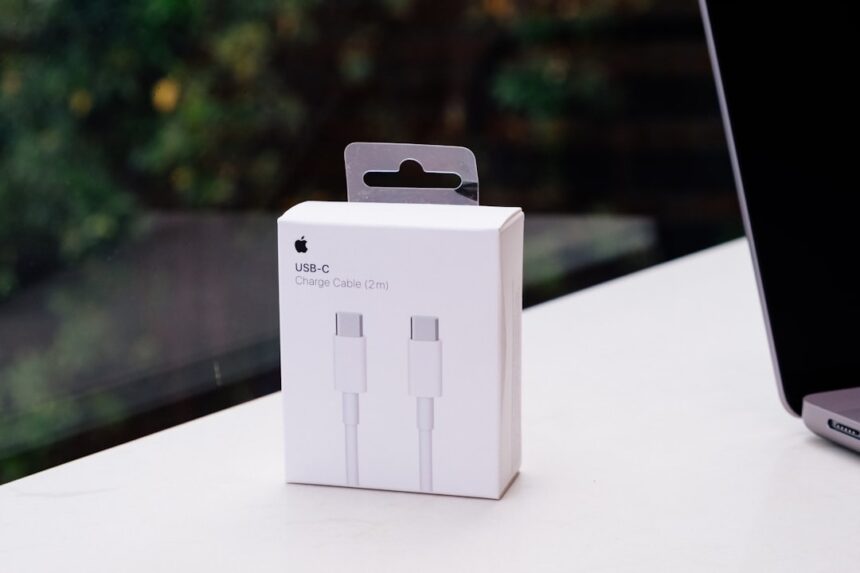
For most of my life, the whirring of hard drives and the clunky insertion of floppy disks were the familiar symphony of digital life. Connecting devices was often a puzzle of proprietary cables and specific ports, a digital Tower of Babel. Then, like a quiet revolution, the Universal Serial Bus, or USB, began to emerge. At first, it seemed like just another connector, a small marvel of engineering destined to augment the ever-growing landscape of peripherals. But looking back now, I see it for what it truly is: a linchpin, a digital Swiss Army knife that has fundamentally reshaped how we interact with technology. Its unassuming presence belies a profound versatility, making it a key player in nearly every facet of modern technological advancement.
The need for a standardized, user-friendly interface for peripherals was evident long before USB’s inception. Each manufacturer seemed to have their own proprietary connection, leading to a tangle of incompatible cables and a frustrating experience for consumers. Imagine trying to connect a new printer only to discover you needed a specific, obscure cable that was no longer readily available. This was the reality for many.
The Pre-USB Peripherals Landscape
Before USB, connecting devices was a bit like trying to speak different languages with no translator. Keyboards, mice, and printers each had their own dedicated ports, often parallel or serial. These ports were designed for a singular purpose and offered limited bandwidth. Upgrading or expanding your computer system often involved navigating a labyrinth of expansion cards and specialized hardware.
The Vision: Simplicity and Interoperability
The architects of USB envisioned a different future. They aimed to create a single, versatile interface that could handle a multitude of devices with plug-and-play simplicity. This was about removing the friction, making technology more accessible and less intimidating. The goal was to reduce the cognitive load on users, allowing them to focus on what they wanted to achieve with their devices, rather than the mechanics of connecting them.
Early Iterations and Their Impact
The first USB specifications, released in the mid-1990s, laid the groundwork for this transformation. While early versions offered lower data transfer rates compared to today’s standards, they introduced fundamental concepts like hot-swapping, bus power, and a tiered star topology. These were the seeds that would later blossom into the ubiquitous interface we know.
In today’s digital age, understanding the nuances of USB technology is essential for both consumers and professionals alike. For those looking to deepen their knowledge on this topic, a related article can be found at this link, which explores the various types of USB connections, their applications, and the latest advancements in the field.
Beyond the Desktop: USB’s Integration into Our Lives
What began as a way to connect peripherals to a desktop computer has expanded outwards, weaving itself into the very fabric of our daily lives. It’s no longer confined to the static environment of a home office; USB is now mobile, embedded, and indispensable.
The Rise of Mobile Connectivity
The advent of smartphones and tablets presented a new set of challenges and opportunities for connectivity. USB quickly became the de facto standard for charging and data transfer for these devices. The ability to use a single cable to charge my phone while also backing up photos to my computer was a revelation.
Charging and Power Delivery
USB Power Delivery (USB PD) has been a game-changer, allowing for faster charging and the ability to power larger devices. I can now charge my laptop using the same USB-C port I use to charge my phone, a level of convenience that was unimaginable just a decade ago. This standardization of power delivery has reduced clutter and simplified my travel bag immensely.
Data Synchronization and Access
Beyond charging, USB has facilitated seamless data synchronization. Whether it’s transferring photos from my camera, syncing music to my portable player, or accessing files from an external hard drive, USB provides a direct and efficient pipeline. It’s the artery through which our digital lives flow.
Embedded Systems and IoT
The Internet of Things (IoT) relies heavily on standardized communication protocols, and USB has played a crucial role in this domain. Many embedded systems and IoT devices utilize USB for programming, debugging, and inter-device communication. This allows for modularity and ease of development, accelerating the pace of innovation in this field.
Microcontrollers and Development Boards
For anyone involved in hardware development, USB ports on microcontrollers and development boards are a constant companion. They serve as the primary interface for flashing code and interacting with the hardware, making the process of bringing new ideas to life significantly more accessible.
Sensor Integration and Data Acquisition
Numerous sensors and data acquisition systems leverage USB to transmit data to a central processing unit. This enables real-time monitoring and analysis in fields ranging from environmental science to industrial automation. My ability to plug in a simple sensor and have the data appear on my screen is a testament to USB’s flexibility.
The Evolving Forms of USB: Adapting to New Demands

The USB standard has not remained stagnant. It has continuously evolved, pushing the boundaries of speed, power, and form factor to meet the ever-increasing demands of modern technology. This relentless evolution is a key reason for its enduring relevance.
USB Type-A: The Classic Workhorse
The rectangular USB Type-A connector is likely the one I encountered first, and it remains stubbornly present on many devices. It’s the familiar handshake of digital connection, a reliable constant in a rapidly changing world.
Backward Compatibility
One of the enduring strengths of USB Type-A is its backward compatibility. Even as newer standards emerge, older devices can often still utilize these ports, ensuring a smooth transition and avoiding widespread obsolescence.
Ubiquitous Presence
From computers and televisions to car stereos and gaming consoles, USB Type-A ports are found almost everywhere. This widespread adoption has made it an incredibly convenient and accessible interface.
USB Type-B: Specialized Applications
While less common for direct consumer interaction with peripherals, USB Type-B connectors have historically served more specialized roles, particularly in printers, scanners, and external hard drives. They offered a more robust and sometimes higher-bandwidth connection compared to early Type-A implementations.
USB Type-C: The Modern Standard
The arrival of USB Type-C marked a significant leap forward. Its reversible design, higher speeds, and support for advanced features like DisplayPort Alternate Mode have made it the aspirational connector for new devices.
Reversible Design and Ease of Use
The simple act of plugging in a USB-C cable without fumbling for the correct orientation is a small but significant quality-of-life improvement. It’s like finally having a lock that opens with any key.
Data Transfer Speeds and Bandwidth
With the introduction of standards like USB 3.2 and USB4, USB-C now boasts incredible data transfer speeds, capable of handling everything from 8K video streams to massive file transfers in mere seconds.
Power Delivery (PD) Capabilities
As mentioned earlier, USB-C’s integration with USB Power Delivery allows for intelligent power management, enabling devices to negotiate optimal charging speeds and even allowing a single port to power a laptop.
Alternate Modes: A Multipurpose Marvel
One of USB-C’s most powerful features is its support for Alternate Modes. This allows a single USB-C port to carry different types of data, such as DisplayPort for video output or Thunderbolt for extremely high-speed data transfer.
The Driving Force Behind Innovation: Speed and Data Transfer

The primary purpose of many peripheral connections is the efficient transfer of data. USB’s evolution has been intrinsically linked to its increasing ability to move information faster, a relentless pursuit that fuels technological progress.
Early USB Standards: A Foundation
The initial USB versions, USB 1.0 and 1.1, offered modest speeds – around 1.5 Mbps and 12 Mbps respectively. While groundbreaking at the time, these speeds would be insufficient for today’s data-intensive applications. They were the rudimentary pathways that paved the way for more sophisticated traffic.
USB 2.0: The Mainstream Adoption
USB 2.0, introduced in 2000, significantly boosted speeds to 480 Mbps. This was a crucial step that solidified USB’s position as the de facto standard for external peripherals. It allowed for smoother performance for devices like external hard drives and webcams.
USB 3.0 and Beyond: The Speed Revolution
The introduction of USB 3.0 (later rebranded as USB 3.1 Gen 1 and USB 3.2 Gen 1) brought a massive leap to 5 Gbps. Subsequent iterations, USB 3.1 Gen 2 (USB 3.2 Gen 2) at 10 Gbps, and USB 3.2 Gen 2×2 at 20 Gbps, have continued to push the envelope.
Handling Large Files and High-Resolution Media
With these increased speeds, transferring large files, such as uncompressed video footage or extensive game libraries, has become a far less tedious process. It’s the difference between a leisurely stroll and a high-speed train.
Advanced Connectivity for Demanding Devices
External graphics cards, high-speed storage arrays, and multi-display setups all benefit immensely from the increased bandwidth offered by the latest USB standards.
USB4: The Convergence of Technologies
USB4 represents a significant convergence, not just of higher speeds but also of capabilities. It leverages the Thunderbolt protocol to achieve speeds of up to 40 Gbps and can tunnel multiple data protocols simultaneously, including DisplayPort and PCIe.
Thunderbolt Integration: A Powerful Alliance
The integration of Thunderbolt technology into USB4 means that a single port can provide the connectivity and performance previously associated with dedicated Thunderbolt ports. This fosters a more unified and powerful ecosystem.
Higher Resolution Video and Complex Workflows
USB4’s capabilities enable the seamless connection of multiple high-resolution displays and support advanced workflows that demand immense data throughput.
In today’s digital age, the importance of USB technology cannot be overstated, as it plays a crucial role in connecting various devices and transferring data efficiently. For those interested in exploring more about the evolution and future of USB technology, a related article can provide valuable insights. You can read more about it in this informative piece that delves into the advancements and potential developments in USB standards.
The Future of USB: Continuously Adapting and Innovating
| Metric | Value | Description |
|---|---|---|
| USB Version | 3.2 | Current USB standard supporting up to 20 Gbps data transfer speed |
| Data Transfer Speed | 5 Gbps | Typical speed for USB 3.0 devices |
| Connector Types | Type-A, Type-B, Type-C | Common USB connector shapes |
| Power Output | 5V, up to 3A | Standard USB power delivery capability |
| Backward Compatibility | Yes | USB 3.x devices support USB 2.0 and 1.1 |
| Maximum Cable Length | 3 meters | Recommended maximum length for USB 3.0 cables |
The journey of USB is far from over. As technology continues its relentless march forward, the USB standard will undoubtedly adapt and innovate to meet new challenges and enable future breakthroughs. Its inherent flexibility ensures its continued relevance.
Emerging Standards and Protocols
We can anticipate further increases in data transfer speeds, more efficient power delivery mechanisms, and potentially new functionalities as new USB specifications are developed. The engineers are always looking for the next gear.
USB in Augmented and Virtual Reality
The demanding bandwidth requirements of augmented and virtual reality experiences present a clear opportunity for USB’s continued development. Fast, reliable data transfer is paramount for immersive VR/AR.
High-Fidelity Graphics and Sensor Data
Delivering high-fidelity graphics and processing real-time sensor data from VR/AR headsets will necessitate the increased speeds and capabilities that future USB versions are likely to offer.
USB as a Platform for New Technologies
The underlying principles of USB – standardization, modularity, and ease of use – make it an ideal platform for the integration of emerging technologies. We might see USB playing a role in future quantum computing interfaces or advanced AI hardware.
Interoperability and Ecosystem Growth
By maintaining its commitment to interoperability, USB will continue to foster a robust ecosystem of devices and solutions, making new technologies more accessible and user-friendly.
In conclusion, my personal journey with technology has been inextricably linked to the evolution of USB. From the early days of finicky connections to the seamless, high-speed interconnectivity of today, USB has been the silent, yet powerful, conductor of this digital orchestra. Its versatility is not just a feature; it’s its defining characteristic. It’s the common language that allows disparate technologies to communicate, to collaborate, and to build the future we inhabit. The unassuming port, so often overlooked, has proven to be one of the most profoundly impactful innovations in the history of personal computing and beyond.
FAQs
What is a USB?
USB stands for Universal Serial Bus. It is a standard type of connection used to connect devices such as keyboards, mice, printers, external storage, and other peripherals to computers and other electronic devices.
What types of USB connectors are there?
There are several types of USB connectors, including USB Type-A, USB Type-B, USB Mini, USB Micro, and USB Type-C. Each type serves different devices and purposes, with USB Type-C being the most recent and versatile connector.
What does “USB 3.0” or “USB 3.1” mean?
USB 3.0 and USB 3.1 refer to versions of the USB standard that offer faster data transfer speeds compared to earlier versions like USB 2.0. USB 3.0 supports speeds up to 5 Gbps, while USB 3.1 can support speeds up to 10 Gbps.
Can USB devices be used interchangeably across different devices?
Generally, USB devices are designed to be compatible across different devices and operating systems. However, compatibility depends on the USB version, connector type, and device drivers. For example, a USB Type-C device may require an adapter to connect to a USB Type-A port.
Is it safe to remove a USB device without ejecting it first?
It is recommended to safely eject or unmount a USB device before removing it to prevent data corruption or loss. This process ensures that all data transfers are complete and the device is not in use by the operating system.