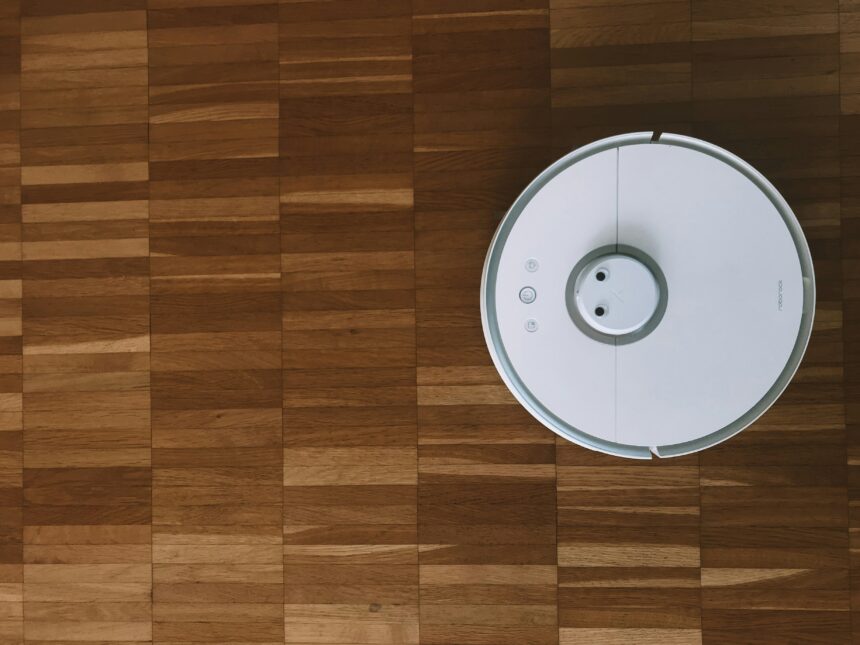
I, like many others, embraced the promise of robotic vacuum cleaners. The allure of effortless cleaning, of a machine diligently mapping and sweeping my floors while I attended to more pressing matters, was powerful. My initial experience with my lidar-equipped robot vacuum was, I admit, bordering on miraculous. It navigated my apartment with an uncanny grace, its lidar spinning like an all-seeing eye, constructing a digital blueprint of my living space that it then meticulously followed. However, this technological marvel wasn’t without its quirks, and I soon encountered what I’ve come to understand as a ‘robot vacuum lidar map anomaly.’ This is not a rare, isolated incident, but a phenomenon that many users, perhaps silently, experience. Understanding these anomalies is crucial to maximizing the efficiency and longevity of your robotic cleaning companion.
At the heart of my exploration into lidar map anomalies lies the lidar sensor itself. Lidar, an acronym for Light Detection and Ranging, is akin to a sophisticated sonar system, but it uses lasers instead of sound waves. It emits pulses of light and measures the time it takes for these pulses to reflect off objects and return to the sensor. By doing this rapidly and in multiple directions, it builds a three-dimensional point cloud of its surroundings. This point cloud is the raw data that my vacuum’s internal processors and algorithms then translate into a map. This map is not just a static image; it’s a dynamic representation of my home, constantly updated as the vacuum moves. It’s the nervous system of the robot, guiding its movements and informing its cleaning path. Without this precise mapping, the vacuum would be akin to a blindfolded person attempting to navigate a crowded room – chaotic and ineffective. The accuracy of this map is paramount. It’s the difference between a systematic cleaning operation and a random bumping spree.
How Lidar Works in a Robotic Vacuum
The lidar sensor on my vacuum, typically a rotating turret mounted on top, scans the environment in a 360-degree radius. Each emitted laser pulse creates a single data point, an ‘echo,’ representing the distance to an object at a specific angle. As the turret spins, thousands of these data points are gathered per second. These points are then processed to create a 2D or 3D representation of the room. Think of it like drawing a picture by having a tiny, incredibly fast artist with a laser pointer sketch the outlines of everything it sees. This sketch is the foundation of the vacuum’s navigation.
The Role of SLAM Algorithms
The raw lidar data would be meaningless without sophisticated software. This is where SLAM, or Simultaneous Localization and Mapping, algorithms come into play. SLAM allows my vacuum to simultaneously build a map of its environment and determine its own position within that map. It’s a continuous feedback loop: the vacuum observes its surroundings, updates its map, and uses that updated map to figure out exactly where it is and where it needs to go. It’s a bit like trying to navigate a maze while simultaneously drawing the maze as you go. The efficiency and robustness of these algorithms directly impact the quality of the map.
Data Points and Their Interpretation
Each data point collected by the lidar sensor carries vital information: distance and angle. When aggregated, these points form a detailed spatial representation. Obstacles like furniture legs, walls, and even the subtle change in texture of a rug are all captured. The algorithms interpret these clusters of points as distinct objects, allowing the vacuum to understand its environment and plan its cleaning routes. The quality of these ‘interpretations’ is where anomalies can begin to creep in.
In recent discussions about the advancements in robotic vacuum technology, the role of Lidar mapping has become increasingly significant, particularly when addressing the issue of anomaly detection. A related article that delves deeper into this topic can be found at this link, where it explores how Lidar sensors enhance the navigation and obstacle avoidance capabilities of robot vacuums, ultimately leading to more efficient cleaning routines and improved user experiences.
The Genesis of Anomalies: What Causes Lidar Map Irregularities?
My initial fascination with the perfect map gave way to a mild frustration when I started noticing discrepancies. The robot would sometimes ‘forget’ about a piece of furniture it had navigated around countless times, or it would suddenly perceive a large, empty space as an impassable barrier. These are map anomalies, and they arise from a confluence of factors that can disrupt the lidar’s ability to perceive and interpret its environment accurately. They are like phantom limbs in the digital map, ghost objects or missing territories that don’t reflect the physical reality of my home.
Environmental Factors: The Play of Light and Shadow
Light plays a surprisingly significant role in lidar’s performance. My vacuum cleaner, for instance, struggles more in direct sunlight. The intensity of natural light can interfere with the laser signals, causing them to be misinterpreted. Similarly, strong artificial lights, especially those that flicker, can also introduce noise into the data. It’s as if the lidar’s eye is temporarily blinded or deceived by intense illumination, leading to inconsistent readings.
The Impact of Glare and Reflections
Shiny surfaces, like glass tabletops or polished floors, are notorious for causing issues. The laser beams can reflect off these surfaces at unpredictable angles, creating false data points or distorting the perception of the object. It’s akin to looking directly into a mirror – the reflection can be misleading and obscure the actual object behind it. My robot vacuum has a particular aversion to the mirrored cabinet in my hallway, often getting confused by its own reflection.
Low-Light Conditions and Darkness
Conversely, extremely low-light conditions can also pose a challenge. While lidar is not dependent on ambient light in the same way a camera is, a complete lack of any reflected light from dark, non-reflective surfaces can make it difficult for the sensor to get a strong return signal. This can lead to the sensor perceiving these areas as voids or incorrectly estimating their distance. Imagine trying to see in a pitch-black room; even with a flashlight, some corners remain stubbornly dark and indistinct.
Object Characteristics: When Furniture Fights Back
The physical properties of objects in my home also influence the lidar’s mapping. Not all objects are created equal in the eyes of a laser scanner. Certain materials and shapes can absorb or scatter laser light in ways that confuse the sensor.
Highly Reflective and Transparent Surfaces
As mentioned with glare, highly reflective surfaces are problematic. Transparent surfaces, such as glass doors or windows, are even more challenging. The laser beam can pass right through them, leading to the sensor not detecting an object where one clearly exists. This is a significant issue for safety, as the vacuum might try to drive through a closed glass door.
Dark, Non-Reflective Materials
Very dark or matte black surfaces can absorb a significant amount of laser light, making it difficult for the sensor to get a return signal. This can cause the vacuum to perceive these objects as smaller than they are, or even as non-existent. My black sofa legs are a prime example; the vacuum often approaches them with less caution than it does furniture with lighter upholstery.
Tall or Narrow Objects
Objects that are very tall and narrow, like slender table legs or thin floor lamps, can sometimes be missed or misinterpreted. The lidar scans in discrete points, and if the beam doesn’t hit the object’s surface at a detectable angle, it can be overlooked. It’s like trying to draw a very thin line with a thick marker; the detail can be lost.
Sensor Malfunctions and Calibration Drift
While less common, issues with the lidar sensor itself or its calibration can also lead to map anomalies. Like any piece of technology, sensors can degrade over time or develop faults.
Physical Damage to the Sensor
Any physical impact to the lidar turret, even a minor bump, can potentially misalign the sensor or damage its delicate internal components. This misalignment can throw off the angle and distance measurements, resulting in consistently inaccurate map data. It’s like bumping a camera and having all your photos come out slightly skewed.
Sensor Contamination
Dust, pet hair, or other debris accumulating on the lidar sensor’s lens can obstruct or scatter the laser beams, leading to a degradation in the quality of the data collected. Regular cleaning of the sensor is therefore crucial, acting as a visual check-up for the robot’s ‘eye.’
Software Glitches and Firmware Updates
Occasionally, software bugs or issues with firmware updates can cause the SLAM algorithms to misinterpret data or corrupt the map. These are often temporary problems that can be resolved with a software reset or by waiting for a new firmware release that addresses the issue. It’s a digital fever that can sometimes clear up on its own.
Identifying Lidar Map Anomalies: Recognizing the Symptoms
Recognizing these anomalies is the first step towards rectifying them. Fortunately, the symptoms are usually quite observable, manifesting as predictable patterns of erratic behavior from the robotic vacuum. It’s like learning to spot the tell-tale signs of a patient who isn’t feeling well.
The ‘Phantom Wall’ Phenomenon
One of the most common anomalies is the ‘phantom wall.’ The robot will approach an area that is perfectly clear in reality, but on its map, a solid wall appears, preventing it from entering. This often happens in areas with high glare or specific reflective surfaces that the lidar misinterprets as an impassable barrier. My robot consistently perceived my floor-to-ceiling mirrored wardrobe as a solid, unmovable object for an entire week, despite having cleaned around it successfully for months.
Repeatedly Cleaning or Avoiding Specific Areas
Another tell-tale sign is the robot’s obsession with, or avoidance of, certain areas. It might repeatedly clean a small section of room as if it’s particularly dirty, or it might steadfastly refuse to enter a particular zone, even when instructed to. This is often a result of inconsistent map data for that specific area, leading the algorithm to believe it’s either an unmanageable mess or an impassable obstacle.
Getting Stuck in Unexpected Places
Perhaps the most frustrating anomaly is the robot getting stuck in seemingly open spaces. This can occur when the lidar’s perception of the floor plan is inaccurate, leading the robot to navigate into tight corners or under furniture it believes it can clear, only to find itself trapped. It’s like a ship confidently sailing into a harbor only to run aground on a hidden sandbar.
Inefficient Cleaning Patterns and Missed Spots
When the map is compromised, the cleaning pattern will inevitably suffer. The robot might move in a haphazard, inefficient manner, missing entire sections of rooms or doubling back over areas it has already cleaned. The systematic grid it’s supposed to follow dissolves into a chaotic dance. This is the clearest indicator that its internal navigation system is fundamentally flawed.
Inaccurate Room Size and Shape on the Map
If the generated map on your companion app appears significantly distorted, with room dimensions appearing shorter, longer, or misshapen, this is a direct visual manifestation of a lidar map anomaly. The digital representation is no longer a faithful mirror of your physical space.
Troubleshooting and Rectification: Restoring Order to the Digital Realm

Once an anomaly is identified, a systematic approach to troubleshooting is required. Thankfully, many of these issues are resolvable without needing to call in a technician. It’s like a doctor diagnosing an ailment and prescribing a course of treatment.
Re-mapping the Environment: The Most Direct Solution
Often, the simplest and most effective solution is to re-map the environment. This involves clearing the robot’s existing map data and guiding it through a fresh cleaning cycle. This allows the lidar sensor to collect new, potentially more accurate data, and the SLAM algorithms to build a refreshed digital representation of your home. Delete the old blueprint and draw a new one.
Preparing for a New Map Creation
Before initiating a re-map, ensure the environment is as optimal as possible for the lidar. This means minimizing glare from windows, tidying up loose cables, and ensuring adequate, even lighting. Remove any temporary obstacles that might confuse the sensor. It’s about creating a clean slate for the robot.
Initiating the Re-mapping Process
Most robot vacuum apps have a specific function for clearing existing maps and initiating a new mapping run. Follow the manufacturer’s instructions precisely, ensuring the robot has enough battery power to complete the entire mapping process without interruption.
Cleaning the Lidar Sensor: A Vital Maintenance Step
As mentioned earlier, a dirty lidar sensor can be a primary culprit. Regular cleaning is essential maintenance. Using a soft, dry microfiber cloth to gently wipe the sensor lens can often resolve issues caused by dust or debris. Think of it as cleaning your glasses so you can see clearly.
Frequency of Sensor Cleaning
The ideal frequency for cleaning the lidar sensor depends on your environment. In dusty or pet-hair-filled homes, it might be necessary to clean it after every few cleaning cycles. Otherwise, a weekly or bi-weekly clean should suffice.
Proper Cleaning Technique
Always use a soft, lint-free cloth. Avoid abrasive materials or cleaning solutions, as these can damage the sensor. A gentle wipe is all that’s needed.
Environmental Adjustments: Mitigating External Factors
Sometimes, the solution lies not with the robot, but with your home’s environment. Making small adjustments can significantly improve the lidar’s performance.
Managing Lighting Conditions
During mapping and cleaning cycles, try to ensure consistent, moderate lighting. Close blinds or curtains to reduce direct sunlight and avoid high-contrast lighting situations. Dimming overly bright lights can also help.
Addressing Reflective Surfaces
If possible, temporarily cover highly reflective surfaces that are causing persistent issues. This could involve repositioning furniture or placing a temporary mat over glare-prone spots. For glass doors, consider using temporary window film.
Firmware Updates and Software Resets
Manufacturers regularly release firmware updates that can address known bugs and improve the performance of SLAM algorithms. Regularly checking for and installing these updates is crucial. A simple software reset by powering the robot off and on again can also resolve temporary glitches.
In recent discussions about the advancements in robotic vacuum technology, the issue of lidar map anomalies has gained significant attention. These anomalies can affect the efficiency and navigation capabilities of robotic vacuums, leading to suboptimal cleaning performance. For a deeper understanding of this topic, you can explore a related article that delves into the challenges and solutions associated with lidar mapping in robotic vacuums. This insightful piece can be found here, providing valuable information for anyone interested in the future of home automation.
Advanced Considerations: When the Basics Aren’t Enough
| Date | Location | Anomaly Type | Severity |
|---|---|---|---|
| 2022-01-15 | Living Room | Obstacle Detection Failure | High |
| 2022-01-20 | Kitchen | Mapping Inaccuracy | Medium |
| 2022-01-25 | Bedroom | Navigation Error | Low |
If the standard troubleshooting steps don’t resolve the lidar map anomalies, it might be time to delve into more advanced considerations or reach out for support. These situations often require a deeper understanding of the robot’s capabilities and limitations.
Understanding Furniture and Obstacle Recognition Thresholds
Different robot vacuums have varying levels of sophistication in recognizing and interpreting objects. Some may struggle with very thin objects or highly textured surfaces. Understanding your specific model’s capabilities can help manage expectations and inform environmental adjustments. It’s about knowing the limits of your machine.
The Importance of Regular Furniture Placement
While robots are designed to adapt, drastic changes in furniture layout can sometimes confuse the SLAM algorithms, especially if the previous map data is heavily relied upon. If you undertake significant redecorating, re-mapping might be necessary.
Identifying and Working Around ‘Problem’ Objects
Learn to identify ‘problem’ objects in your home that consistently cause mapping issues. This might be a specific type of rug, a particular chair leg, or a piece of decorative furniture. Once identified, you can either adjust the environment around them or create no-go zones for your robot.
No-Go Zones and Virtual Walls: Strategic Limitations
Most advanced robot vacuums offer features like ‘no-go zones’ or ‘virtual walls’ through their companion app. These features allow you to designate areas the robot should avoid. If persistent mapping anomalies are causing the robot to enter hazardous areas or get stuck, utilizing these functions can be a practical workaround. It’s like drawing invisible fences to guide your digital pet.
Setting Up No-Go Zones Effectively
No-go zones are particularly useful for protecting areas with delicate items, cable nests, or surfaces prone to glare. Carefully draw the boundaries to ensure maximum effectiveness.
Utilizing Virtual Walls for Navigation Control
Virtual walls can be used to guide the robot along specific pathways or to prevent it from entering certain rooms or sections of rooms. This can be a useful tool for optimizing cleaning efficiency.
Contacting Manufacturer Support: When to Seek Professional Help
If you’ve exhausted all troubleshooting steps, and the lidar map anomalies persist, it might be an indication of a hardware issue with the lidar sensor itself. In such cases, contacting the manufacturer’s customer support is the next logical step. They can guide you through advanced diagnostics or arrange for repair or replacement if necessary. They are the custodians of the robot’s well-being.
Documenting the Anomalies Clearly
When contacting support, be prepared to provide detailed information about the anomalies you’re experiencing. This includes specific examples, the frequency of occurrence, and the troubleshooting steps you’ve already taken. Clear documentation will expedite the resolution process.
Understanding Warranty and Repair Options
Familiarize yourself with your robot vacuum’s warranty terms. Understanding your options for repair or replacement will be crucial if a hardware defect is identified.
Ultimately, the lidar map anomaly is a testament to the complexity of the technology involved. While these sophisticated sensors and algorithms aim for perfect environmental representation, the dynamic and often unpredictable nature of our homes can present challenges. By understanding how lidar works, recognizing the signs of anomalies, and employing systematic troubleshooting, you can ensure your robotic vacuum continues to be the diligent and helpful cleaning companion it was designed to be, navigating your home with precision and efficiency. It’s about maintaining the delicate balance between artificial intelligence and the tangible world.
FAQs
What is a robot vacuum lidar map anomaly?
A robot vacuum lidar map anomaly refers to an irregularity or unexpected obstacle detected by the lidar sensor of a robot vacuum while creating a map of its cleaning area. This anomaly can include objects such as furniture, toys, or other items that are not typically part of the vacuum’s normal cleaning environment.
How does a robot vacuum detect lidar map anomalies?
Robot vacuums use lidar (light detection and ranging) sensors to create a 360-degree map of their cleaning area. These sensors emit laser beams and measure the time it takes for the beams to bounce back, allowing the vacuum to detect and avoid obstacles. When the lidar sensor detects an anomaly, the robot vacuum may adjust its cleaning path to navigate around the obstacle.
Can robot vacuum lidar map anomalies affect cleaning performance?
Yes, robot vacuum lidar map anomalies can affect cleaning performance by disrupting the vacuum’s planned cleaning path. If the anomaly is not properly detected and navigated around, it can result in areas of the floor being missed during the cleaning process. Additionally, repeated encounters with the same anomaly may cause the robot vacuum to spend more time in certain areas, affecting overall cleaning efficiency.
How can robot vacuum lidar map anomalies be minimized?
To minimize lidar map anomalies, it is important to ensure that the cleaning area is free of clutter and obstacles that could disrupt the robot vacuum’s path. Clearing the floor of small items, ensuring that cords and cables are out of the way, and removing any potential hazards can help reduce the likelihood of lidar map anomalies.
Are there advancements in lidar technology to improve anomaly detection?
Yes, there are ongoing advancements in lidar technology aimed at improving anomaly detection for robot vacuums. These advancements include the development of more sophisticated lidar sensors with higher resolution and improved object recognition capabilities. Additionally, machine learning algorithms are being used to enhance the robot vacuum’s ability to identify and navigate around lidar map anomalies.