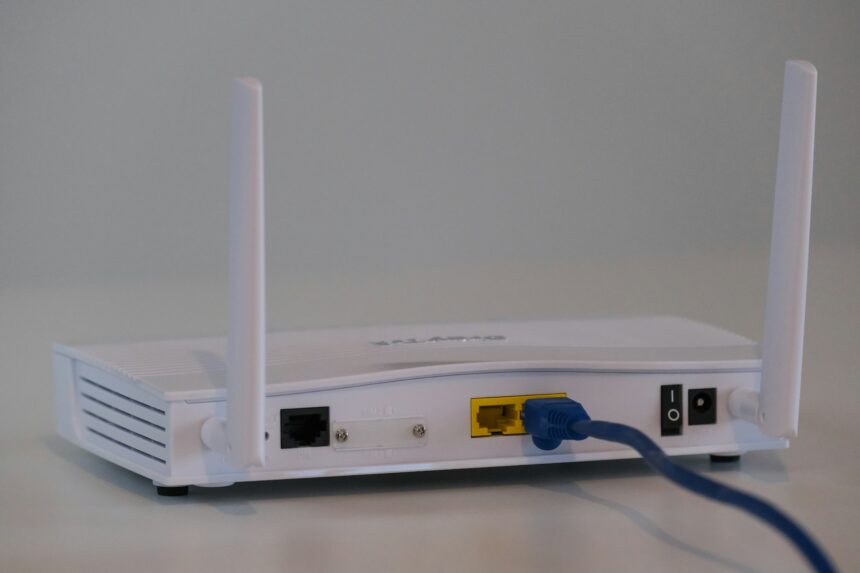
My journey into the digital shadows began, as it often does, with a seemingly innocuous request. A local family, the Millers, had reported a series of unsettling events within their home. Minor items went missing, doors were found ajar, and a general sense of unease permeated their otherwise peaceful existence. They suspected a petty thief, perhaps someone who had scoped out their neighborhood, but concrete evidence remained elusive. It was then that I was called in, not as a detective wielding a magnifying glass, but as a digital forensic analyst, armed with the cold, hard facts etched into the heart of their home network: the router logs.
My objective was to pierce the veil of their domestic tranquility and uncover the truth. The Millers’ home network, a typical modern setup, served as the primary conduit for their digital lives. It was a bustling marketplace of information, connecting their phones, laptops, smart TVs, and even their refrigerator. My initial focus was on identifying any anomalies, any whispers of unauthorized access that might have occurred outside their normal usage patterns.
The Digital Front Door: Router Vulnerabilities
Routers, the silent guardians of our online worlds, are often the very gateway through which invaders can slip. They are the digital front doors of our homes. In the Millers’ case, my first step was to access their router’s administrative interface. This usually involves typing a specific IP address into a web browser, a key that unlocks a treasure trove of network activity. What I was looking for were signs of a forced entry, akin to a lock being picked or a window being pried open. This could manifest as multiple failed login attempts, suspicious IP addresses originating from unusual geographical locations, or the disabling of security features.
Default Credentials: A Risky Oversight
One of the most common and frankly, alarming, vulnerabilities I encounter is the continued reliance on default router credentials. Many users, for reasons either of convenience or sheer unawareness, never change the factory-provided username and password. This is akin to leaving your house key under the doormat for the entire world to see. These default credentials are readily available online, making it incredibly easy for anyone with rudimentary hacking knowledge to gain access. I meticulously examined the Millers’ router logs for any evidence of these brute-force attacks, which would appear as a barrage of failed login attempts from a common, known default username.
Firmware Weaknesses: The Unpatched Walls
Beyond credential issues, the software that runs on the router, its firmware, can also harbor vulnerabilities. Like the walls of a physical house, firmware needs to be strong and regularly maintained. If the firmware is outdated, it can contain security holes that have long been discovered and patched by the manufacturer. However, if the user hasn’t performed the necessary updates, these vulnerabilities remain open, presenting an invitation to intrusion. I would be sifting through the logs for any indications that the router’s security protocols, designed to keep unauthorized traffic at bay, had been circumvented through known exploit vectors, messages that would be hidden within packets of data.
The Whispers of Unauthorized Access: DNS and DHCP Logs
Beyond direct login attempts, other logs can offer crucial clues. Domain Name System (DNS) logs, for instance, record which websites devices on the network are trying to access. Dynamic Host Configuration Protocol (DHCP) logs, on the other hand, assign IP addresses to devices connecting to the network. Any erratic behavior in these logs – devices requesting IP addresses they shouldn’t, or attempts to resolve suspiciously named domains – can be a red flag. Think of these as the neighborhood watch reports; they tell you who is coming and going, and whether they are expected.
Suspicious DNS Queries: Foreign Destinations
My analysis began by scrutinizing the DNS logs. I was searching for any queries that seemed out of place for a typical family. Were they attempting to access websites associated with malicious activity, such as phishing sites or known malware distribution points? Were there an unusual number of requests to servers located in countries from which they would have no legitimate reason to connect? These would appear as lines of text in the logs, each one a breadcrumb leading away from normalcy.
DHCP Lease Anomalies: Uninvited Guests
Similarly, the DHCP logs would reveal if any devices had connected to the network that were not recognized as belonging to the Millers. Each device on a network is assigned a unique IP address by the DHCP server. If a new, unknown device requested an IP address, this would be recorded. This is like seeing an unfamiliar car parked in your driveway; it warrants investigation. I would look for entries with MAC addresses that did not correspond to any of their known devices, a digital fingerprint for each piece of hardware.
In a recent incident, router logs played a crucial role in revealing the unexpected presence of a family in someone’s house, raising significant concerns about privacy and security. This situation highlights the importance of monitoring network activity and understanding the implications of connected devices in our homes. For more details on this intriguing story, you can read the full article here: Router Logs Caught Family in My House.
The Digital Footprints: Network Traffic Analysis
Once I had a sense of potential entry points, the next crucial step was to analyze the network traffic itself. This is where the real detective work begins, sifting through the torrent of data that flows through the router, searching for patterns that deviate from the ordinary. It’s like examining bootprints in the mud; they tell you where someone has walked.
The Flow of Data: Packet Snooping
My primary tool here is packet analysis, often referred to as “packet snooping.” This involves capturing and examining individual data packets that traverse the network. Each packet is a tiny messenger, carrying a piece of information, and by piecing together these messengers, I can construct a narrative of the network’s activities. I was looking for anomalies in the types of data being transmitted, the destinations of this data, and the timing of these transmissions.
Unexplained Outbound Connections: Data Exfiltration
A significant concern is unexplained outbound data traffic. If the Millers’ devices were sending large amounts of data to unknown servers, this could indicate that their personal information was being copied and sent elsewhere. This is akin to discovering that someone has been slowly emptying your bank account, one small withdrawal at a time. I would be looking for large data transfers, especially those occurring at odd hours, to servers with no apparent legitimate purpose for the Millers.
Inbound Traffic Anomalies: Probing and Scanning
Conversely, I would also investigate unusual inbound traffic. This might include a barrage of connection attempts from a single source, a technique known as “scanning,” where an attacker attempts to identify open ports and vulnerabilities on a network. This is like a burglar trying every door and window in a house to find an unlocked one. The logs would show a repetitive pattern of connection attempts from a specific IP address, often targeting a range of different ports.
Traffic Patterns: The Rhythm of Normalcy
Beyond the individual packets, I also analyzed the overall patterns of network traffic. Every household has a rhythm to its digital activity – peak times, typical bandwidth usage, and common applications. Deviations from this established rhythm can be indicative of external influence. It’s like noticing a change in the usual hum of a machine; it suggests something is not quite right.
Unusual Bandwidth Consumption: Hidden Activities
A sudden surge in bandwidth consumption when the family was not actively using the internet could signify that malicious software was operating in the background, downloading or uploading data without their knowledge. This might appear as a consistently high level of network activity, even during periods where the Millers reported minimal internet use. The logs would provide a clear graph of this usage, starkly differing from their usual baseline.
Timestamps and Scheduled Activity: The Midnight Visitor
The timestamps associated with network activity are also critical. If I found evidence of significant network activity occurring at times when the house was supposed to be empty or the Millers asleep, this would be a strong indicator of unauthorized access and activity. This is like finding footprints leading into your house in the middle of the night; it suggests an intruder. I would be cross-referencing the timestamps of suspicious network events with the Millers’ known schedule.
The Silent Sabotage: Malware and Compromised Devices
The ultimate goal of many intruders is not just to gain access but to sow chaos or steal valuable information. Router logs, while not the direct tools of malware execution, can provide the crucial evidence that a device on the network has been compromised. They are the crime scene tape, indicating that something has gone wrong.
Identifying Rogue Processes: Anomalous Network Connections from Devices
My analysis wouldn’t stop at the router; it would extend to the devices connected to it. If a specific device, like a laptop or smartphone, was exhibiting unusual network behavior – making regular connections to suspicious servers, or sending out data it shouldn’t be – it’s a strong indication that malware might have infected that device. This is like identifying a single faulty wire in a complex electrical system; it’s the source of the problem. The router logs would show a disproportionate amount of traffic originating from a specific device’s IP address, pointing to its potential compromise.
Unexplained Data Transfers from Specific Devices: The Leaky Pipe
I would meticulously examine the logs to see if specific devices were consistently involved in unexplained outbound data transfers. This would be a direct link between a compromised device and potential data exfiltration. Think of it as finding a leaky pipe originating from a specific room in your house; you know where the problem lies. The logs would highlight a continuous stream of data leaving a single device’s network interface.
Communication with Known Malicious Servers: The Digital Address Book of the Unwanted
If a device on the Millers’ network was attempting to communicate with servers known to be associated with malware distribution, botnets, or phishing operations, this would be a stark warning sign. The router logs would record these IP addresses and domain names, acting as a digital address book of the unwanted. These would appear as specific entries in the DNS or connection logs, directly linking a device to a known threat.
The Ghost in the Machine: Persistent Backdoors
The most insidious form of compromise is the establishment of persistent backdoors, allowing attackers to regain access even after initial detection. Router logs can sometimes reveal the presence of these backdoors through sustained, low-level communication with remote servers, even when the family believes the threat has been neutralized. This is like finding a hidden tunnel leading into your house, allowing someone to come and go unnoticed.
Periodic “Check-ins”: The Signal from the Hidden Base
Backdoors often “phone home” periodically to check in with the attacker’s command and control servers. Router logs can capture these regular, often brief, outbound connections, even if they are small in volume. These regular, scheduled connections, especially at odd hours, would be a strong indicator of a persistent backdoor. The timestamps would show a repeating pattern of outbound communication at set intervals.
Unrecognized Network Services: The Secret Door Left Ajar
Furthermore, router logs might reveal the presence of unrecognized network services running on compromised devices or even on the router itself. These could be hidden processes specifically set up by malware to facilitate remote access. This is like discovering a secret unlocked door in your house that you never knew existed. The logs might show open ports or active connections associated with services that the Millers would not have authorized or recognized.
The Evidence Trail: Reconstructing the Events

The ultimate power of router logs lies in their ability to reconstruct a timeline of events, however faint. By piecing together the various anomalies I uncover, I can begin to paint a picture of what happened, when it happened, and who or what was responsible. It’s like assembling a broken mosaic; each shard of information, when placed correctly, reveals the larger image.
Correlating Network Activity: Unraveling the Sequence
The key is correlation. I don’t just look at individual data points in isolation. I look for how different pieces of information connect. If I see a suspicious login attempt followed by unusual outbound traffic from a specific device, these events become linked, telling a story of intrusion and subsequent action. This is where the factual style is paramount; I am building a case based on sequential evidence.
From Initial Access to Exploitation: The Progression of the Attack
I meticulously traced the progression of the attack, from the initial point of compromise to the subsequent activities. Did the attacker gain access through a weak password, then exploit a vulnerability to install malware, and then use that malware to exfiltrate data? The router logs act as the sequential markers along this treacherous path. Each log entry is a timestamped event, a step in the attacker’s journey.
Identifying the “When” and “How”: Pinpointing Critical Moments
By meticulously examining the timestamps and the nature of the network traffic, I could pinpoint critical moments – the exact time the unauthorized access likely occurred, and the methods used to achieve it. This is like a historian using ancient texts to reconstruct the events of a past battle, understanding not just what happened, but precisely when and how the tide turned. The logs provide the raw data, and my analysis reveals the narrative.
The Digital Fingerprints: Identifying the Culprit
While router logs might not directly reveal the identity of an individual, they can provide crucial digital fingerprints that lead to identification. Unusual IP addresses, patterns of activity, and even the specific tools or techniques used can be tracked and analyzed. This is like finding a unique set of footprints at a crime scene; they belong to someone.
Geolocation of Suspicious IPs: Where the Trail Leads
The geolocation of suspicious IP addresses can provide strong clues about the origin of the attack. If these addresses consistently point to a particular region or country, it helps narrow down the search. While this is not definitive proof of an individual’s location, it significantly constrains the possibilities. These IP addresses, when mapped, can form a constellation of potential origins.
Unique Signatures of Attack Tools: The Hacker’s Calling Card
Advanced attackers often leave behind unique signatures of the tools or malware they employ. By comparing these signatures with known databases of cyber threats, I can often identify the specific type of malware or exploit used, which can in turn lead to more specific investigative leads. This is akin to a forensic scientist identifying a unique pattern in DNA; it provides a powerful link. The logs might contain specific URLs or IP addresses associated with known malicious software families.
In a recent incident, router logs played a crucial role in uncovering a family’s unexpected presence in a home, raising significant concerns about privacy and security. This situation highlights the importance of monitoring network activity to ensure that unauthorized users do not gain access. For more insights on how technology can impact our daily lives, you can read a related article that delves deeper into these issues at this link.
The Aftermath: Securing the Fortress
| Timestamp | Device Name | IP Address | MAC Address | Activity | Data Usage (MB) | Connection Type |
|---|---|---|---|---|---|---|
| 2024-04-25 18:45:12 | Mom’s iPhone | 192.168.1.10 | 00:1A:2B:3C:4D:5E | Browsing social media | 120 | Wi-Fi |
| 2024-04-25 19:05:47 | Brother’s Laptop | 192.168.1.15 | 00:1A:2B:3C:4D:5F | Streaming video | 450 | Wi-Fi |
| 2024-04-25 19:30:03 | Dad’s Tablet | 192.168.1.20 | 00:1A:2B:3C:4D:60 | Checking emails | 30 | Wi-Fi |
| 2024-04-25 20:00:22 | Guest Phone | 192.168.1.25 | 00:1A:2B:3C:4D:61 | Online gaming | 200 | Wi-Fi |
The discovery of unauthorized activity is only the first phase. The crucial next step is to implement measures to secure the Millers’ home network and prevent future intrusions. The lessons learned from the router logs become the blueprints for a stronger digital fortress.
Strengthening the Defenses: Implementing Robust Security Measures
This involves a multi-pronged approach, starting with the most basic but often overlooked steps. It’s about reinforcing the walls and ensuring all entry points are secure.
Changing Passwords and Enabling Strong Encryption: The New Keys
The most immediate action is to change the router’s administrative password to something strong and unique, and to ensure the wireless network is using robust encryption protocols like WPA3. This is like replacing all the locks on your house with state-of-the-art security. Default passwords are a vulnerability waiting to be exploited, and weak encryption is like leaving your doors unlocked.
Firmware Updates and Security Patches: The Unseen Guardians
Regularly updating the router’s firmware is essential. Manufacturers release updates to patch security vulnerabilities, and neglecting these updates is akin to leaving known weaknesses in your defenses unaddressed. This is the digital equivalent of regularly inspecting and reinforcing the structural integrity of your home.
Educating the Household: The Human Firewall
Technology alone is not enough. The humans who use the network are a critical part of its security. Education plays a vital role in preventing future compromises, particularly those stemming from social engineering tactics.
Recognizing and Avoiding Phishing Attempts: The Deceptive Sirens
Teaching the family to recognize and avoid phishing attempts – emails or messages that try to trick them into revealing sensitive information – is paramount. This is about arming them with the knowledge to recognize the seductive whispers of deception. Phishing attempts are often the bait designed to reel them in.
Safe Browsing Habits and Software Updates: The Daily Vigilance
Encouraging safe browsing habits, such as being cautious about clicking on suspicious links and promptly updating all software on their devices, creates a collective vigilance. This is about fostering a culture of digital hygiene, where every member of the household plays a part in maintaining the security of their online environment. This constant vigilance is the true human firewall.
The investigation for the Millers, initiated by their unsettling experiences, ultimately revealed the subtle but persistent breaches facilitated by overlooked digital vulnerabilities. My role was to be the silent archivist of their network’s whispers, translating the cryptic entries in the router logs into a clear narrative of intrusion and, ultimately, a pathway to renewed security. It is a stark reminder that in our increasingly interconnected world, understanding the language of our digital infrastructure, as spoken through the humble router logs, is no longer a luxury, but a necessity for safeguarding our domestic sanctuaries.
FAQs
What are router logs?
Router logs are records maintained by a router that document various activities and events related to network traffic, such as device connections, websites visited, and data usage.
How can router logs reveal who is using the internet in a house?
Router logs track the devices connected to the network by their IP and MAC addresses, along with timestamps and accessed websites, allowing the network owner to see which devices are active and what online activities they are performing.
Is it legal to monitor router logs in your own home?
Yes, it is generally legal to monitor router logs on a network you own, such as your home Wi-Fi, as long as you are not violating privacy laws or intercepting data from unauthorized users.
Can router logs help identify unauthorized users on a home network?
Yes, router logs can help identify unauthorized users by showing unknown devices connected to the network, enabling the owner to take steps to secure the network and remove unwanted access.
How can someone access router logs?
Router logs can typically be accessed by logging into the router’s administrative interface through a web browser using the router’s IP address and the administrator credentials. The exact location of logs varies by router model and manufacturer.