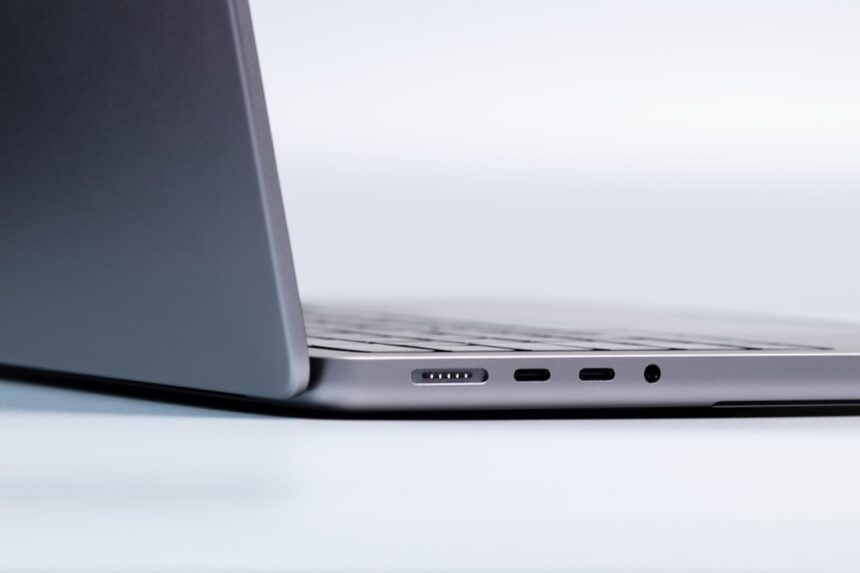
The decision to adopt an air-gapped laptop for cryptocurrency security is not one made lightly. It represents a significant step in fortifying digital assets, a conscious move to create a moat around your treasure chest in the ever-churning waters of the internet. For those of us who view our cryptocurrency holdings not as frivolous speculation but as a vital part of our financial future, the question of security becomes paramount. The default mode of operation on a networked computer, however convenient, is inherently vulnerable. Every connection, every download, every email is a potential entry point for malevolent actors. An air-gapped system, in essence, severs these connections entirely, creating a sanctuary for our most sensitive operations. This is not about fear-mongering; it’s about understanding the landscape and choosing the most robust defenses available.
An air gap, in the context of computing, refers to the physical isolation of a computer system from all external networks, particularly the internet. Imagine a knight donning their full plate armor before entering the battlefield – that’s the essence of an air gap. It’s a tangible barrier, a deliberate act of disconnection. This isolation is not a mere theoretical construct; it’s a practical implementation that significantly elevates security. Without a pathway to receive or send data wirelessly or through cables, the attack surface of the computer is drastically reduced. This means that vulnerabilities inherent in network protocols, Wi-Fi vulnerabilities, Bluetooth exploits, and even common malware designed for network propagation become effectively moot.
The Core Principle: Physical Disconnection
The fundamental tenet of an air-gapped system is that it never touches a network. This includes the World Wide Web, local area networks (LANs), and even direct connections to other potentially compromised devices without a strict, controlled transfer mechanism. This absolute separation is what grants it its security advantage. When your sensitive operations, such as generating private keys or signing transactions, are performed on such a system, there is no external route for hackers to intercept these actions. It’s like performing a critical negotiation in a soundproof, windowless room, far removed from any eavesdropping possibilities.
Why Networked Devices Are Inherently Vulnerable
Networked devices are designed for interaction. They breathe in data from the internet and exhale it back. This constant exchange, while facilitating convenience, also opens the door to a multitude of threats. Viruses, worms, ransomware, phishing attacks, man-in-the-middle attacks, and zero-day exploits all leverage network connections to infiltrate systems. Even sophisticated firewalls and antivirus software, while providing layers of defense, are reactive measures. They operate on known threats or attempt to detect anomalous behavior. An air-gapped system bypasses this entire category of threats by simply not being part of the network to begin with.
The Trade-off: Convenience vs. Security
It is crucial to acknowledge that the extreme security offered by an air-gapped laptop comes at the cost of convenience. Performing operations that would typically take seconds on a networked device will inevitably take longer. Transferring necessary software updates, moving wallet files, or even bringing in new cryptocurrencies will require careful, manual steps. This is not a system for casual browsing or everyday tasks. It is a dedicated tool for a specific, high-stakes purpose. The analogy here is owning a safe deposit box in a bank. It’s incredibly secure, but accessing your valuables requires a trip to the bank, identification, and a bit of waiting – a stark contrast to the instant access of a wallet in your pocket.
For those interested in enhancing their cryptocurrency security, a related article that delves into the specifics of using an air-gapped laptop for crypto transactions can be found at this link. This resource provides valuable insights on setting up an air-gapped system, ensuring that your digital assets remain protected from online threats and vulnerabilities. By following the guidelines outlined in the article, you can effectively safeguard your cryptocurrency investments while maintaining a high level of security.
Setting Up Your Air-Gapped Sanctuary
The process of creating an air-gapped environment is more than just unplugging a cable; it requires a deliberate and methodical approach to ensure that no accidental network connections are established. This is like building a meticulously designed, secure vault. Every component and every step needs careful consideration.
Acquiring a Dedicated Device
The first step is to obtain a laptop that will exclusively serve as your air-gapped system. This device should ideally be older, less powerful, and not of significant value for other purposes. This minimizes the temptation to use it for general browsing and reduces the potential loss if it were ever compromised (though the goal is to prevent this entirely). It’s a dedicated tool, much like a specialized surgical instrument that is only used for its intended precise function.
Considerations for Hardware Selection
When selecting a laptop, look for a model that is no longer supported by the manufacturer for frequent operating system or driver updates. Newer machines often come with pre-installed bloatware and drivers that might have network capabilities you’re unaware of. Older, more basic machines offer a simpler attack surface. Consider models without built-in Wi-Fi cards or Bluetooth modules if possible (though these can often be disabled or removed).
The Operating System: A Clean Slate
The choice of operating system is a critical decision. A clean, stripped-down installation is paramount. You want an operating system that is well-understood, with a mature security track record, and minimal built-in network services.
Linux Distributions as a Prime Choice
For many security-conscious individuals, Linux distributions, particularly those known for their stability and security, are the preferred choice. Distributions like Debian, Ubuntu LTS (Long Term Support) versions, or even more minimal distributions like Alpine Linux offer granular control over installed packages and services. The open-source nature of Linux also means that vulnerabilities are more likely to be discovered and patched by the community.
Minimizing Software Installation
Once the operating system is installed, the principle of minimalism is key. Only install the absolute bare necessities for your cryptocurrency operations. This includes your chosen wallet software, any necessary cryptographic libraries, and a secure method for transferring files (which we will discuss later). Every single piece of software you install represents a potential vulnerability.
Fortifying Against Accidental Connections
Even with the best intentions, accidental network connections can occur. Implementing safeguards to prevent this is crucial.
Disabling Network Interfaces
Physically disabling or removing network interface cards (NICs) such as Wi-Fi adapters and Ethernet ports is the most robust method. If removal is not feasible, ensure that these interfaces are permanently disabled in the BIOS/UEFI settings and within the operating system itself. This is akin to sealing all the hatches on a ship before it enters potentially dangerous waters.
BIOS/UEFI Security Settings
Access the BIOS/UEFI settings of the laptop and disable any network boot options, Wake-on-LAN features, or other network-related functionalities. Set a strong password for accessing these settings to prevent unauthorized changes. This is like setting a primary lock on the vault door itself.
Secure Data Transfer: Bridging the Gap Safely

The most challenging aspect of an air-gapped system is often the secure transfer of data. How do you get necessary software onto the laptop, or how do you transfer completed transactions for signing without compromising the air gap? This requires a deliberate and secure process, acting like a highly controlled shuttle service between two isolated islands.
The Use of USB Drives: A Controlled Conduit
USB flash drives are the most common method for transferring data. However, they themselves can carry malware. Therefore, the process must be managed carefully.
Preparing USB Drives on a Networked Device
Before using a USB drive with your air-gapped laptop, it must be prepared on a separate, non-air-gapped computer. This involves formatting the drive to ensure it’s clean and then carefully copying the exact software or data you intend to transfer. It is critical to verify the integrity of the files before they are copied.
Scanning USB Drives on the Air-Gapped System
Upon plugging a USB drive into the air-gapped laptop, the data should be copied to a designated, isolated directory. Then, a robust antivirus or malware scanner (that has been carefully updated on a separate machine and transferred via USB) should be run on the copied files before they are accessed or used. This is like a security checkpoint for cargo arriving at the fortified island.
Offline Software Updates: A Deliberate Chore
Software updates are essential for security. The process for an air-gapped system is a multi-step operation.
Downloading Updates on a Networked Machine
Download the necessary software updates (OS updates, wallet software updates, etc.) on a separate, internet-connected computer. Verify the integrity of these downloads using checksums (SHA256 hashes) and verify the source of the downloads to ensure they are legitimate.
Transferring and Installing Updates
Transfer these verified update files to the air-gapped laptop via a prepared USB drive. Perform the installation of these updates only on the air-gapped system. This process takes time and requires diligence, but it ensures that your system remains patched without exposing it to direct network threats.
Secure Wallet Operations: The Heart of the Matter
The primary use case for an air-gapped laptop is often secure cryptocurrency wallet operations, particularly the creation and management of private keys and the signing of transactions.
Generating Private Keys Offline
When you create a new cryptocurrency wallet on an air-gapped system, your private keys are generated in an environment that has never been connected to the internet. This significantly reduces the risk of them being compromised by online threats during creation. This is like engraving your most important documents onto stone tablets in a secure, remote location.
Signing Transactions Offline
For signing transactions, you would typically prepare the unsigned transaction on a networked device (or a less secure offline device). Then, you transfer this unsigned transaction to the air-gapped laptop via a USB drive. On the air-gapped system, you use your wallet software to sign the transaction with your private key. The signed transaction is then exported back to the networked device via USB for broadcasting to the network. This two-step process ensures your private key remains isolated.
Maintaining Security Over Time: Vigilance is Key
An air-gapped system is not a set-and-forget solution. Its security is a continuous process that requires ongoing vigilance and adherence to strict protocols. Think of it as maintaining a well-guarded fortress; regular patrols, checks, and repairs are essential.
Regular System Audits and Reviews
Periodically, you should conduct a thorough audit of your air-gapped system.
Verifying Software Integrity
Ensure that only the intended software is present on the system. Remove any applications or files that were not deliberately installed for your cryptocurrency operations. This is like doing a physical inventory of all items within the vault.
Checking Network Configurations
Double-check that all network interfaces remain disabled or removed. This might seem redundant, but it’s a crucial verification step, especially after any maintenance or software updates.
The Importance of a “Cold” Wallet Strategy
An air-gapped laptop is the ultimate tool for a “cold” wallet strategy. This means that your cryptocurrency is stored in an environment that is not connected to the internet, making it extremely difficult for attackers to access.
Cold Storage vs. Hot Wallets
Differentiate clearly between hot wallets (connected to the internet, convenient for frequent trading but less secure) and cold wallets (offline, highly secure, ideal for long-term storage). An air-gapped laptop facilitates the most secure form of cold storage.
Using Hardware Wallets in Conjunction (Optional but Recommended)
While an air-gapped laptop provides excellent security for wallet software, many users opt to use it in conjunction with dedicated hardware wallets. The air-gapped laptop can be used to generate the seed phrase for the hardware wallet in a secure environment, or to manage more complex multi-signature setups. This adds another robust layer to your security architecture.
Dealing with Device Obsolescence
Like all technology, hardware eventually becomes obsolete. Planning for this is part of long-term security.
Secure Data Migration
When it’s time to retire an air-gapped laptop, ensure that all sensitive data (including wallet files) is securely migrated to a new air-gapped system. This involves a meticulous process of data transfer, much like transferring the contents of one secure vault to another.
Securely Erasing Old Devices
Before disposing of or repurposing an old air-gapped laptop, it is imperative to securely erase all data. This involves multiple passes of data overwriting or physical destruction of the storage media. A simple delete command is insufficient. This is akin to demolishing a vault after it’s been emptied, ensuring no traces remain.
Using an air-gapped laptop for cryptocurrency transactions is an effective way to enhance security and protect your digital assets from potential threats. To learn more about the best practices for setting up and utilizing an air-gapped system, you can refer to a comprehensive article that covers essential tips and techniques. This resource will guide you through the process, ensuring that your crypto activities remain safe and secure. For further insights, check out this informative piece on how to use an air-gapped laptop for crypto.
Common Pitfalls to Avoid: The Chinks in the Armor
| Step | Action | Description | Security Tip |
|---|---|---|---|
| 1 | Prepare Air Gapped Laptop | Install a clean operating system and necessary crypto wallet software offline. | Use a fresh OS install and verify software signatures before installation. |
| 2 | Generate Wallet Keys | Create private and public keys on the air gapped laptop without internet connection. | Never connect the laptop to any network to prevent key exposure. |
| 3 | Transfer Public Keys | Use a USB drive to move public keys to an online device for transactions. | Scan USB drives for malware before and after use. |
| 4 | Create Unsigned Transactions | On an online device, create unsigned transactions using public keys. | Verify transaction details carefully before signing. |
| 5 | Sign Transactions Offline | Transfer unsigned transactions to air gapped laptop and sign them offline. | Ensure the air gapped laptop remains offline during signing. |
| 6 | Broadcast Signed Transactions | Move signed transactions back to online device and broadcast to the network. | Double-check transaction data before broadcasting. |
| 7 | Backup Keys Securely | Store private keys in encrypted backups offline. | Use multiple secure locations and consider hardware wallets for added security. |
Even with the best intentions and the most robust setup, certain common pitfalls can undermine the security of an air-gapped system. Recognizing these potential weaknesses is as important as building the defenses themselves.
Accidental Network Connections: The Subtle Slip
As mentioned, this is the most common and insidious pitfall. This can happen through:
Unintentional Wi-Fi/Bluetooth Activation
Sometimes, system updates or software installations can inadvertently re-enable features. Always double-check in your BIOS/UEFI and operating system settings.
Physical Connections to Infected Devices
Connecting USB drives that have been used on infected computers without proper scanning, or connecting the system to a network cable, even for a brief moment, can be catastrophic. This is like letting an infected person into the secure zone, even for a short period.
Over-Reliance on a Single Security Measure
While the air gap is a powerful measure, it should not be the only measure.
Weak Passwords for Laptop Access
Even an air-gapped laptop needs strong passwords for user accounts and BIOS/UEFI. A weak password is an open invitation, regardless of network isolation.
Insecure Storage of Sensitive Data (Outside the Air-Gapped System)
If you store your generated private keys or seed phrases on a networked computer or in an insecure location, the air gap becomes somewhat moot. These critical pieces of information must also be protected with equivalent rigor.
Lack of Regular Maintenance and Updates
Ignoring software updates or system audits creates vulnerabilities over time.
Outdated Wallet Software
Even on an air-gapped system, outdated wallet software might have known vulnerabilities that you are unaware of until you update. This is like having an old lock on your vault door that has been superseded by much stronger models.
Neglecting System Audits
Failing to regularly review the installed software and system configurations can lead to the accumulation of potentially risky elements that you might have forgotten about.
Using the Air-Gapped Laptop for Non-Essential Tasks
The temptation to use a powerful, offline machine for other tasks can be strong.
Gaming or Multimedia Consumption
These activities often require additional software installations, media codecs, or even temporary network connections, all of which can compromise the air gap. This is like using a highly specialized tool for a simple household chore; you risk damaging the tool or performing the chore inefficiently and dangerously.
Browsing the Web (Even for Legitimate Purposes)
Even if you are browsing legitimate websites for information related to cryptocurrency, the act of browsing itself exposes the system to potential online threats that could be present on those sites. The air gap is designed to eliminate this exposure entirely.
The Anonymity and Privacy Advantages
Beyond the core security benefits, an air-gapped laptop can also contribute to enhanced anonymity and privacy in your cryptocurrency dealings. This is like pulling a shroud of invisibility over your financial activities.
Reduced Digital Footprint
By operating a system that is never connected to the internet, you significantly reduce your digital footprint. Your IP address is never logged for these operations, and your online activity is not associated with these sensitive transactions.
Protection Against Correlation Attacks
Correlation attacks aim to link your real-world identity to your cryptocurrency transactions. An air-gapped system, by ensuring that transaction signing occurs in complete isolation, makes it much harder for attackers to correlate your online actions with your offline operations.
Control Over Personal Data
When you are not constantly online, you have greater control over the personal data that is collected about you. This can be particularly important in jurisdictions where online surveillance is a concern.
Creating a Temporal Isolate
The air-gapped laptop provides a temporal isolate. Transactions are signed and then exported, creating a clear separation between the signing event and the broadcasting event. This can make it more difficult for external actors to link the two events together with temporal information.
Conclusion: A Commitment to Fortification
Implementing an air-gapped laptop for your cryptocurrency security is a significant undertaking, demanding a commitment to meticulous planning, disciplined execution, and ongoing vigilance. It is a testament to the understanding that in the realm of digital assets, security is not an afterthought but a foundational principle. The journey to a truly secure cryptocurrency holding often involves layers of defense, and the air-gapped laptop represents the pinnacle of offline protection. It is a strategic choice for those who prioritize the long-term safety and integrity of their digital wealth. By creating this digital fortress, you are not merely protecting assets; you are safeguarding your financial autonomy and peace of mind in an increasingly complex digital world. This commitment to a robust security posture is akin to building a fortress on solid bedrock rather than on shifting sands. It’s an investment in the future, ensuring that your digital wealth remains yours, and yours alone.
FAQs
What is an air-gapped laptop and why is it used for cryptocurrency?
An air-gapped laptop is a computer that is physically isolated from any network, including the internet and local networks. It is used for cryptocurrency to enhance security by preventing remote hacking attempts and unauthorized access to private keys and sensitive wallet information.
How do you transfer data to and from an air-gapped laptop safely?
Data transfer to and from an air-gapped laptop is typically done using removable media such as USB drives or SD cards. It is important to scan these devices for malware on a separate, secure computer before connecting them to the air-gapped laptop to avoid introducing any security risks.
Can you use an air-gapped laptop to generate cryptocurrency wallets?
Yes, an air-gapped laptop is often used to generate cryptocurrency wallets offline. This method ensures that private keys are created and stored in a secure environment, reducing the risk of exposure to online threats.
Is it necessary to keep the air-gapped laptop completely offline at all times?
Yes, to maintain maximum security, the air-gapped laptop should remain completely offline and never connect to any network. Connecting it to the internet or other networks can compromise its security and expose sensitive data.
What precautions should be taken when setting up an air-gapped laptop for crypto use?
When setting up an air-gapped laptop for cryptocurrency, use a clean operating system installation, avoid installing unnecessary software, disable wireless communication features like Wi-Fi and Bluetooth, and ensure all software used for wallet management is verified and free from malware. Additionally, keep the device physically secure to prevent unauthorized access.