In recent years, smart technology has significantly changed approaches to health and fitness monitoring. Smart scales have become widely adopted tools for tracking weight and body composition measurements. These devices provide comprehensive data beyond what traditional scales offer, enabling more detailed health monitoring capabilities.
A key feature of many smart scales is the ability to establish multiple user profiles, which proves particularly valuable for multi-person households seeking to track individual health metrics. Multiple user profiles enable each person to maintain separate data sets, preserving privacy and allowing for individualized tracking. This functionality prevents data mixing between users and ensures accurate long-term trend analysis for each individual.
The feature supports independent health monitoring for family members or household occupants without data interference. Personalized data access facilitates consistent progress tracking and can contribute to improved accountability in fitness and health management routines.
Key Takeaways
- Smart scales support multiple user profiles, allowing personalized tracking for each individual.
- Setting up and switching between profiles is straightforward, enhancing user convenience.
- Customizing data and preferences per profile ensures accurate and relevant health insights.
- Syncing profiles with health apps helps monitor progress and achieve fitness goals effectively.
- Maintaining privacy and troubleshooting common issues are key to maximizing smart scale benefits.
Setting up Multiple Profiles on a Smart Scale
Setting up multiple profiles on a smart scale is typically a straightforward process, but it can vary depending on the brand and model. Generally, the first step involves downloading the corresponding app on my smartphone or tablet. Once I have the app installed, I can create an account if I don’t already have one.
After logging in, I can easily navigate to the section dedicated to user profiles. Here, I can add new profiles by entering basic information such as name, age, height, and gender, which are crucial for accurate body composition analysis. After entering the necessary details for each profile, I can assign each user a unique identifier, often through a simple touch or by stepping on the scale.
This ensures that when I or another family member steps on the scale, the device recognizes who it is measuring. The setup process is usually quick and user-friendly, allowing me to have multiple profiles ready in no time. Once everything is configured, I can start weighing myself and tracking my metrics alongside my family members.
Managing and Switching Between Profiles
Managing and switching between profiles on a smart scale is designed to be seamless. When I step onto the scale, it typically prompts me to select my profile from a list displayed on the app or directly on the scale itself. This feature is particularly handy when multiple users are sharing the same device.
I appreciate how easy it is to switch between profiles; with just a few taps or a simple selection, I can ensure that my data remains distinct from others.
For instance, I can adjust goals, track progress over time, and even customize notifications for each user.
This level of management ensures that everyone’s health journey is personalized and that we can all stay motivated by seeing our individual progress clearly laid out in the app.
Benefits of Having Multiple Profiles on a Smart Scale
The benefits of having multiple profiles on a smart scale are numerous and significant. First and foremost, it allows for personalized tracking of health metrics for each user. This means that I can focus on my own goals without being influenced by someone else’s data.
For example, if my partner is trying to lose weight while I am focused on muscle gain, having separate profiles ensures that our respective journeys do not interfere with one another. Moreover, multiple profiles foster a sense of accountability within a household. When I see my family members actively tracking their progress alongside me, it creates an environment of support and motivation.
We can share tips, celebrate milestones together, and even challenge each other in friendly competitions. This communal aspect of health tracking enhances our overall commitment to wellness as a family.
Customizing Data and Preferences for Each Profile
| Feature | Description | Typical Metrics | Benefits |
|---|---|---|---|
| Multiple User Profiles | Ability to store and recognize data for multiple users | Up to 16 profiles | Personalized tracking for each family member |
| Automatic User Recognition | Smart scale identifies user based on weight and biometrics | Recognition accuracy: 90-95% | Seamless user experience without manual selection |
| Weight Measurement | Measures body weight with high precision | Accuracy: ±0.1 kg or ±0.2 lbs | Reliable weight tracking |
| Body Fat Percentage | Estimates body fat using bioelectrical impedance | Range: 5% – 50% | Insight into body composition |
| Muscle Mass | Estimates muscle mass in the body | Range: 20 kg – 70 kg | Track muscle development |
| Data Sync | Syncs data to mobile app or cloud | Bluetooth or Wi-Fi connectivity | Access historical data and trends |
| Profile Storage Capacity | Number of user profiles the scale can store | 8 to 16 profiles | Supports multiple family members or users |
| Memory Retention | Stores previous measurements for each profile | Up to 100 measurements per profile | Track progress over time |
One of the most appealing aspects of using a smart scale with multiple profiles is the ability to customize data and preferences for each user. Each profile can be tailored to reflect individual health goals and preferences. For instance, I can set specific weight targets or body fat percentage goals that align with my fitness aspirations.
The app often allows me to choose which metrics I want to prioritize—whether it’s weight, muscle mass, body fat percentage, or water weight—ensuring that I receive the most relevant information. Additionally, customization extends beyond just metrics; I can also adjust notification settings for reminders about weigh-ins or progress updates. This level of personalization makes it easier for me to stay engaged with my health journey.
By having control over what data I see and how often I receive updates, I can create a more effective routine that aligns with my lifestyle.
Ensuring Accuracy and Privacy for Each Profile

Accuracy and privacy are paramount when it comes to using a smart scale with multiple profiles. To ensure accurate readings, it’s essential that each user steps on the scale under similar conditions—ideally at the same time of day and under similar circumstances (like wearing similar clothing). Many smart scales also come equipped with advanced sensors that provide precise measurements, which adds an extra layer of reliability to the data collected.
Privacy is another critical consideration. With multiple profiles, it’s important that each user’s data remains confidential. Most smart scales address this concern by requiring users to log into their individual accounts within the app before accessing their data.
This means that even if someone else uses the scale, they won’t have access to my personal metrics unless they log into my profile specifically.
Syncing Multiple Profiles with Health and Fitness Apps
Syncing multiple profiles from a smart scale with health and fitness apps is an excellent way to enhance the overall experience of tracking health metrics. Many smart scales are designed to integrate seamlessly with popular fitness applications like Apple Health, Google Fit, or MyFitnessPal. This integration allows me to consolidate all my health data in one place, making it easier to analyze trends over time.
When I sync my smart scale with these apps, I can view not only my weight but also other important metrics like calorie intake and exercise routines. This holistic view of my health journey helps me make informed decisions about my diet and fitness regimen. Additionally, if other family members sync their profiles with their own fitness apps, we can all benefit from a comprehensive understanding of our health without having to juggle multiple platforms.
Tracking Progress and Goals for Each Profile
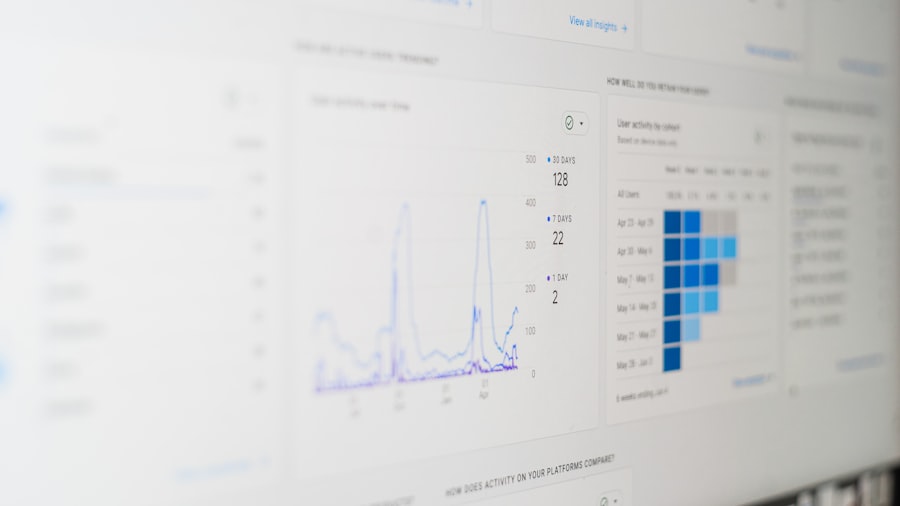
Tracking progress and setting goals for each profile is one of the most rewarding aspects of using a smart scale with multiple profiles. The app typically provides visual representations of progress over time—such as graphs or charts—that make it easy for me to see how far I’ve come toward achieving my goals. Whether I’m aiming to lose weight or gain muscle mass, having this visual feedback keeps me motivated.
Moreover, setting specific goals within each profile allows me to tailor my approach based on individual needs. For instance, if I notice that I’m plateauing in my weight loss journey, I can adjust my diet or exercise routine accordingly. The ability to track progress not only helps me stay accountable but also encourages me to celebrate small victories along the way.
Troubleshooting Common Issues with Multiple Profiles
While using multiple profiles on a smart scale is generally straightforward, there can be occasional hiccups that require troubleshooting. One common issue I’ve encountered is when the scale fails to recognize which profile is being used during weigh-ins. In such cases, ensuring that each user has properly logged into their profile before stepping on the scale usually resolves the problem.
Another issue might arise from syncing problems between the scale and the app. If data isn’t transferring correctly or if readings seem inaccurate, checking for software updates or reconnecting Bluetooth settings often helps rectify these issues. It’s reassuring to know that most manufacturers provide customer support resources or FAQs that can guide me through resolving any technical difficulties.
Tips for Using Multiple Profiles on a Smart Scale
To maximize the benefits of using multiple profiles on a smart scale, there are several tips I’ve found helpful over time. First, consistency is key; weighing myself at the same time each day helps ensure more accurate readings. Additionally, maintaining similar conditions—like wearing similar clothing—can further enhance accuracy.
Another tip is to regularly review progress within each profile and adjust goals as needed. Life changes frequently; whether it’s due to new fitness routines or dietary adjustments, being flexible with goals ensures that they remain relevant and motivating. Lastly, engaging with family members about their progress fosters an environment of support and accountability that benefits everyone involved.
Maximizing the Benefits of Multiple Profiles on a Smart Scale
In conclusion, utilizing multiple profiles on a smart scale offers an array of advantages that enhance both individual health tracking and family wellness journeys. From personalized data management to seamless integration with fitness apps, this technology empowers users like me to take charge of our health in meaningful ways. By setting up distinct profiles for each family member, we can maintain privacy while fostering accountability and motivation within our household.
As I continue to explore the capabilities of my smart scale, I am reminded of how technology can play a pivotal role in achieving health goals. By leveraging features like customizable data preferences and syncing capabilities, I am not only tracking my progress but also creating a supportive environment for those around me. Ultimately, embracing these tools allows us all to maximize our potential for healthier living together.
If you’re looking to enhance your fitness journey with a smart scale that supports multiple user profiles, you might find this article on smart scale features particularly insightful. It discusses how these devices can track individual metrics for different users, making it easier for families or roommates to monitor their health progress without any confusion.
FAQs
What is a smart scale with multiple profiles?
A smart scale with multiple profiles is a digital weighing device that can store and manage data for several users. It allows different individuals to track their weight and other health metrics separately on the same device.
How does a smart scale recognize different users?
Smart scales typically use algorithms that analyze weight, body composition, and usage patterns to identify and differentiate between users. Some models also allow manual profile selection or pairing with individual smartphones for accurate user recognition.
What health metrics can a smart scale with multiple profiles measure?
Besides weight, many smart scales measure body fat percentage, muscle mass, bone density, water percentage, BMI (Body Mass Index), and sometimes even heart rate. The availability of these metrics depends on the specific model.
Can multiple users sync their data to separate apps?
Yes, most smart scales with multiple profiles allow each user to sync their data to their own smartphone app or account. This helps users track their progress individually and maintain privacy.
Is it necessary to have a smartphone to use a smart scale with multiple profiles?
While some smart scales can function as basic digital scales without a smartphone, to fully utilize features like multiple profiles, data tracking, and detailed analytics, a smartphone or compatible device is usually required.
Are smart scales with multiple profiles suitable for families?
Yes, these scales are ideal for families or households where multiple people want to monitor their health metrics using a single device, making it convenient and cost-effective.
How accurate are smart scales with multiple profiles?
Smart scales provide reasonably accurate measurements for weight and body composition, but factors like hydration levels, time of day, and user positioning can affect results. They are best used for tracking trends over time rather than precise medical measurements.
Do smart scales with multiple profiles require Wi-Fi or Bluetooth?
Most smart scales use Bluetooth to connect to smartphones, while some models also support Wi-Fi for syncing data directly to cloud services. The connectivity options depend on the scale’s design and features.
Can smart scales with multiple profiles be used for fitness or medical purposes?
Smart scales are useful tools for fitness tracking and general health monitoring. However, they should not replace professional medical devices or advice, especially for diagnosing or managing health conditions.
How do I set up multiple profiles on a smart scale?
Setting up multiple profiles usually involves downloading the scale’s companion app, creating individual user accounts, and following the app’s instructions to add profiles. Each user may need to input personal details like age, height, and gender for accurate measurements.