Uncovering Family Secrets: Forensic Software on Your Home Laptop
The act of exploring one’s own family history can be a deeply rewarding, albeit sometimes complex, endeavor. While traditional methods like sifting through dusty photo albums, deciphering faded letters, and conducting interviews with elder relatives have long been the cornerstones of genealogical research, a new frontier has emerged, offering unprecedented depth and detail. This frontier lies not in distant archives or forgotten attics, but within the very digital devices that inhabit our homes: our laptops. With the advent of sophisticated forensic software, the ability to delve into the digital footprints of our ancestors—or even living relatives, with their consent—has become remarkably accessible. This article aims to illuminate how such powerful tools can be harnessed on a home laptop to uncover hidden familial narratives, treating your personal computer not just as a gateway to the present, but as a time capsule to the past.
Forensic software, in its broadest sense, refers to tools designed to recover and analyze digital information that might be deleted, hidden, or deliberately obscured. Traditionally, this technology is employed by law enforcement and cybersecurity professionals to investigate crimes, recover data from damaged devices, or analyze evidence from compromised systems. However, the core principles and functionalities of many forensic tools are directly applicable to genealogical pursuits. Think of it like this: if a family history is a vast, sprawling mansion, traditional research methods are like exploring its main halls and readily accessible rooms. Forensic software, on the other hand, is like a team of meticulous archaeologists, equipped with specialized tools, carefully excavating hidden basements, secret passages, and buried artifacts that might otherwise remain undiscovered.
Data Recovery: Reclaiming Lost Memories
One of the most potent applications of forensic software in a genealogical context is its ability to recover deleted data. We live in an era of rapid digital obsolescence, where files can be inadvertently erased, hard drives formatted, or old devices discarded without proper data sanitization. For someone tracing their family tree, this can mean the loss of invaluable digital mementos: scanned family photographs that were never backed up, emails from a deceased grandparent containing precious anecdotes, or even word documents filled with a relative’s personal reflections.
The Unseen Workspace of Your Hard Drive
When a file is “deleted” from your laptop, it doesn’t vanish into the ether. Instead, the operating system typically marks the space occupied by that file as available for new data. The actual data remains on the hard drive until it’s overwritten by new information. Forensic software acts as a digital divining rod, capable of scanning these “unallocated” spaces on your storage media, searching for fragments of deleted files. This process can be akin to piecing together a shattered vase; the software identifies the shards of data and attempts to reassemble them into their original form.
Types of Recoverable Data
The scope of recoverable data is broad and can include:
- Deleted Documents: These could be personal journals, letters, recipes, or even family histories that were never published.
- Removed Images and Videos: Crucial visual records of family events, ancestors, or places of significance might be salvaged.
- Lost Audio Recordings: Spoken accounts from relatives, interviews, or even old family gatherings captured on digital audio could be recovered.
- Browser History and Cache: While seemingly mundane, a relative’s web browsing history might reveal interests, research topics related to family history, or even connections to individuals or organizations.
File Carving: Excavating the Residual Data
Beyond direct file recovery, forensic software excels at a technique known as “file carving.” This method is particularly useful when a file system is heavily corrupted or when files have been partially overwritten. Instead of relying on file system metadata (which might be damaged), file carving looks for specific patterns or “headers” and “footers” that characterize different file types (e.g., the beginning of a JPEG image file or a DOCX document). It then extracts contiguous blocks of data that match these patterns, even if the original file system structure is no longer intact.
The Art of Pattern Recognition
Imagine a library where the card catalog is lost, and many books have had their covers torn off. File carving is like a librarian who knows the distinct printing style of each publisher and the characteristic font of each author. By recognizing these unique identifiers, they can identify and group fragments of text, even if they’re scattered on different shelves. This allows for the reconstruction of files that might otherwise be considered irretrievably lost.
Challenges and Limitations
It is important to note that file recovery and carving are not always successful. The longer a file has been deleted, or the more data has been written to the drive since its deletion, the higher the probability of the data being overwritten and becoming unrecoverable. Furthermore, highly fragmented files can be difficult to reassemble accurately.
In today’s digital age, the use of forensic software on family laptops has become increasingly important for ensuring data security and privacy. A related article that delves into the intricacies of this topic can be found at this link. The article discusses various forensic tools available for families, how they can help recover lost data, and the ethical considerations that come with monitoring digital activities within a household.
Exploring Digital Ghosts: Forensic Tools on Your Laptop
The notion of using forensic software on your own laptop might conjure images of complex, expensive professional equipment. However, a range of user-friendly, accessible tools are available that can be downloaded and run directly from your personal computer. These programs have been designed for users with varying levels of technical expertise, allowing individuals to embark on their own digital genealogical investigations.
Disk Imaging: Creating a Safety Net
Before delving into any data recovery or analysis, the paramount first step for any forensic investigation, even a personal one, is to create a disk image. This is a bit-for-bit copy of the entire storage device (your laptop’s hard drive or SSD) that can be an exact replica. Think of it as making a perfect photocopy of a precious, fragile document before you begin any delicate restoration work. Imaging the drive ensures that any subsequent actions taken with forensic software are performed on a copy, leaving the original data intact and preserving its state.
Why Imaging is Crucial
- Preservation of Original Data: If a recovery attempt accidentally modifies or further corrupts the original data, your backed-up image remains untouched.
- Forensic Soundness: For more serious investigations, imaging ensures that the data being analyzed is a true representation of the original state, free from contamination.
- Repeatable Analysis: You can perform multiple recovery attempts or analyses on the image without risk to the original drive.
Software for Disk Imaging
Several accessible tools can assist with this process, ranging from free, open-source options to commercial software. The key is to ensure the tool can create a raw disk image (often in formats like .dd or .img).
Data Recovery Software: The Unearthing Toolkit
Once a disk image has been created, the next step is to use data recovery software to scan this image for recoverable files. These programs employ sophisticated algorithms to analyze the raw data, identify file structures, and present the user with a list of potentially recoverable files.
Understanding the Scan Process
Most data recovery software offers different scanning options:
- Quick Scan: This is a faster scan that typically looks for recently deleted files by examining the file system’s main directories.
- Deep Scan (or Full Scan): This is a more thorough scan that performs file carving, examining every sector of the drive to find file fragments that might not be recognized by the file system. This is often the most effective for recovering older or more deeply hidden data.
Common File Types and Their Recovery
Many data recovery tools are adept at recognizing and recovering a wide array of file types, including:
- Image Files: JPEG, PNG, GIF, BMP, TIFF
- Document Files: DOC, DOCX, PDF, TXT, RTF, XLSX, PPT
- Audio Files: MP3, WAV, AAC
- Video Files: MP4, AVI, MOV, WMV
Navigating the Digital Depths: Analyzing Residual Data
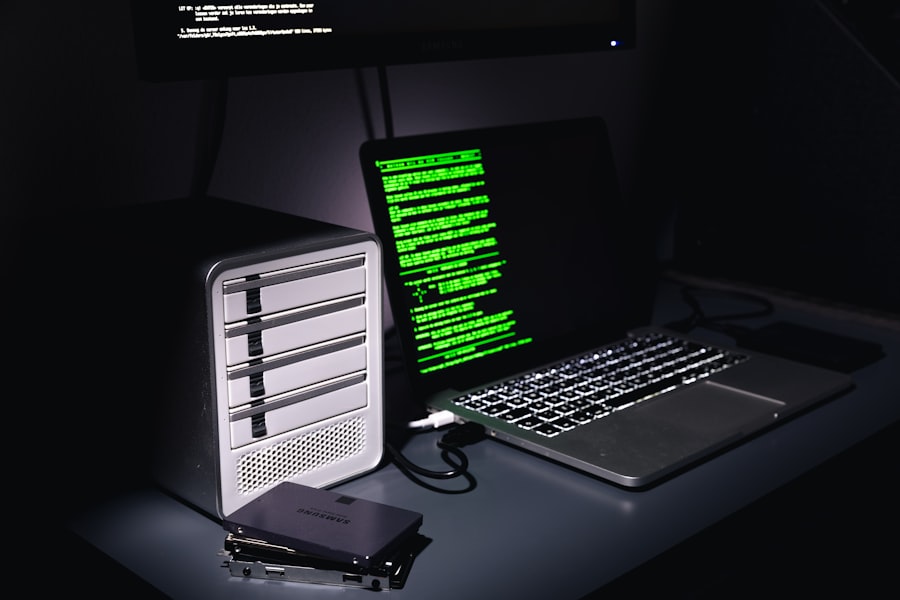
With files potentially recovered, the next crucial phase involves analyzing this recovered data to extract genealogical insights. This is where the detective work truly begins, sifting through the digital detritus to find the hidden gems of family history.
Undeleting and File System Reconstruction
Some forensic software offers features that go beyond simple file recovery. They can attempt to reconstruct file system structures that may have been partially damaged or altered. This can be particularly helpful in recovering entire directories of files, preserving their original organization and metadata. This is like finding a partially scattered jigsaw puzzle and having the software help you see where the pieces are supposed to go, even if some are missing.
Recovering Directory Structures
When a drive is formatted or files are deleted extensively, the file system’s organizational framework can become jumbled. Advanced tools can sometimes infer or reconstruct these lost directories, allowing you to recover not just individual files but entire folders that might have contained your ancestor’s personal documents or photographs.
Metadata: The Unseen Clues
Beyond the content of a file, its metadata can be a treasure trove of information. Metadata can include:
- Creation and Modification Dates: These timestamps can help place documents or images within a specific temporal context, aiding in chronology.
- Author Information: For documents, the author field might reveal who created the file.
- Geotagging (for photos): If enabled, this can reveal the location where a photograph was taken, potentially linking your ancestors to specific places.
Examining Unallocated Space for Hidden Information
Even after file recovery, there might be residual data fragments nestled within the unallocated space of the hard drive that weren’t recognized as complete files by the software. Advanced users or those with specialized tools can delve into these raw sectors. This is a more technically demanding aspect, akin to examining the microscopic dust particles left behind at an archaeological site, searching for minuscule clues that might reveal a larger picture.
Hex Editors and Text Analysis
Tools like hex editors allow you to view the raw binary data of files or disk sectors. While this can appear as a daunting jumble of characters, patterns can emerge. For instance, searching for specific keywords related to family names, dates, or locations within unallocated space might reveal snippets of forgotten text or data that were not part of any recognized file.
The Challenge of Interpretation
Interpreting raw sector data requires a significant understanding of file formats and data structures. It is often a process of trial and error, but it can sometimes yield unexpected discoveries, such as fragments of emails or chat messages that were never officially saved.
Ethical Considerations and Legal Boundaries
While the allure of uncovering family secrets using forensic software is undeniable, it is paramount to approach this endeavor with a strong ethical compass and a clear understanding of legal boundaries. The power to access digital information comes with a significant responsibility.
Consent is Paramount: Respecting Privacy
Using forensic software to access the digital contents of a device that does not belong to you, or includes the personal data of others, raises serious privacy concerns and can have legal ramifications.
Owned Devices vs. Inherited Devices
- Your Own Devices: You have the inherent right to use forensic tools on devices you own and have purchased.
- Inherited Devices: If you inherit a laptop or storage device from a deceased relative, you generally have the right to access its contents for personal genealogical research. However, laws regarding digital inheritance are still evolving and can vary by jurisdiction.
- Devices Belonging to Others: Attempting to access the digital contents of a device belonging to a living individual without their explicit, informed consent is a violation of their privacy and is likely illegal. This even extends to family members if the device is their personal property.
The Importance of Explicit Consent
For living relatives, the only ethical and legal way to access their digital devices is through their explicit, informed consent. This means clearly explaining what you intend to do, what kind of data you are looking for, and how you will use the information.
Data Security and Confidentiality
Once you have recovered potentially sensitive familial information, it is your responsibility to secure and protect it.
Protecting Recovered Data
- Secure Storage: Store recovered data on encrypted drives.
- Limited Access: Restrict access to the recovered data to authorized individuals.
- Responsible Sharing: Be mindful of who you share this information with. Not all family members may want certain details revealed.
The Weight of Knowledge
Uncovering family secrets can sometimes unearth information that is sensitive, painful, or even damaging to existing family relationships. The knowledge you gain as a digital genealogist carries weight, and it is your ethical duty to handle it with care and discretion. It is akin to finding an old, unopened letter that, once read, reveals a truth that can alter perceptions.
When investigating suspicious activity on a family laptop, utilizing forensic software can be crucial in uncovering hidden files and tracking user behavior. For those interested in learning more about the benefits and methodologies of digital forensics, a related article can provide valuable insights. You can read it here. This resource delves into various tools and techniques that can help in analyzing digital evidence effectively, ensuring that families can protect their online presence and maintain security.
Practical Applications for the Aspiring Digital Genealogist
| Metric | Description | Typical Value / Range | Notes |
|---|---|---|---|
| Disk Imaging Time | Time taken to create a forensic image of the laptop’s hard drive | 30 minutes – 3 hours | Depends on drive size and connection speed |
| Data Analyzed | Amount of data scanned during forensic analysis | 100 GB – 1 TB | Varies based on laptop storage capacity |
| Recovered Deleted Files | Number of deleted files successfully recovered | 10 – 500 files | Depends on file system and overwrite status |
| Malware Detection Rate | Percentage of malware or suspicious files detected | 0% – 5% | Varies based on software and laptop usage |
| Analysis Duration | Total time taken to complete forensic analysis | 1 hour – 6 hours | Depends on software and data volume |
| CPU Usage | Average CPU utilization during forensic processing | 40% – 90% | High usage may slow down other laptop functions |
| Memory Usage | RAM consumed by forensic software during analysis | 2 GB – 8 GB | Depends on software and data size |
| File Types Analyzed | Common file types scanned (e.g., documents, images, emails) | DOCX, PDF, JPG, PNG, PST, TXT | Varies by forensic tool capabilities |
| Report Generation Time | Time to generate forensic analysis report | 5 minutes – 30 minutes | Depends on report complexity |
The accessibility of forensic tools opens up a new dimension for anyone passionate about family history. It’s not just about finding names and dates; it’s about uncovering the narratives, the personalities, and the experiences that shaped your lineage.
Reconstructing Lost Family Narratives
Imagine finding a folder of unsent drafts of emails from a grandparent, detailing their childhood memories or thoughts on significant life events. Or perhaps recovering a series of scanned diary entries that were never backed up. These discoveries can breathe life into the historical figures in your family tree, transforming them from static entries into vibrant individuals.
Filling the Gaps in Oral Histories
Often, oral histories are fragmented, and details are forgotten over time. Digital records, even those recovered through forensic means, can serve as valuable corroborating evidence or fill in crucial gaps. A recovered photograph with a handwritten caption, or a dated email exchange, can provide concrete anchors for anecdotal stories.
Uncovering Ancestral Interests and Passions
A relative’s browsing history, while requiring careful ethical navigation if it pertains to living individuals, can provide profound insights into their interests, hobbies, and even their search for their own family roots. Discovering that an ancestor was an avid reader of historical texts, a keen gardener, or a passionate researcher of a specific historical event can add layers of personality and context to your genealogical research.
Digitally Connecting Across Generations
In a world where digital communication is instantaneous, the records of these communications are often fleeting. Forensic software can help retrieve these digital echoes of conversations that might otherwise be lost.
Recovering Email Correspondence
Emails can be a rich source of personal anecdotes, family updates, and even direct discussions about family history amongst relatives. Recovering a thread of emails between siblings or between parents and children can offer an intimate glimpse into their lives and relationships.
Archiving Online Interactions (with consent)
While ethically complex, if a relative willingly shared information through online forums or social media platforms and later deleted it or lost access, forensic tools could, in theory, recover remnants of these interactions, provided the platform itself retains data and it hasn’t been permanently purged. This is a nuanced area, heavily reliant on platform policies and user consent models.
The Laptop as Your Digital Genealogical Tool Kit
Your home laptop, once primarily a tool for work and entertainment, can be transformed into a powerful instrument for genealogical exploration. By understanding the capabilities of forensic software and adhering to ethical guidelines, you can unlock a wealth of information that complements and enriches traditional research methods. It’s about realizing that the digital artifacts left behind by our ancestors are not merely bits and bytes, but potential keys to understanding who we are and where we come from. The digital landscape of your own laptop, treated with the right tools and a discerning eye, can become a portal to your past, waiting patiently to reveal its secrets.
FAQs
What is forensic software and how is it used on a family laptop?
Forensic software is a type of tool designed to analyze digital devices for evidence of activity, data recovery, or security breaches. When used on a family laptop, it can help identify deleted files, track user activity, or detect malware, often for purposes such as troubleshooting, security audits, or investigations.
Is it legal to use forensic software on a family laptop?
Using forensic software on a family laptop is generally legal if you own the device or have explicit permission from the owner. However, accessing someone else’s personal data without consent may violate privacy laws, so it is important to understand local regulations and obtain proper authorization before proceeding.
What types of data can forensic software recover from a family laptop?
Forensic software can recover various types of data including deleted files, browsing history, chat logs, emails, system logs, and metadata. It can also detect hidden or encrypted files and analyze installed applications to provide a comprehensive overview of the laptop’s usage.
Are there risks involved in using forensic software on a family laptop?
Yes, there are risks such as accidentally altering or deleting important data, violating privacy, or misinterpreting the findings. Additionally, some forensic tools require technical expertise to use correctly, and improper use can compromise the integrity of the evidence or the laptop’s functionality.
Can forensic software detect malware or unauthorized access on a family laptop?
Many forensic software tools include features to detect malware infections, unauthorized access, or suspicious activity by analyzing system logs, network connections, and file changes. This can help identify security breaches or compromised accounts on a family laptop.