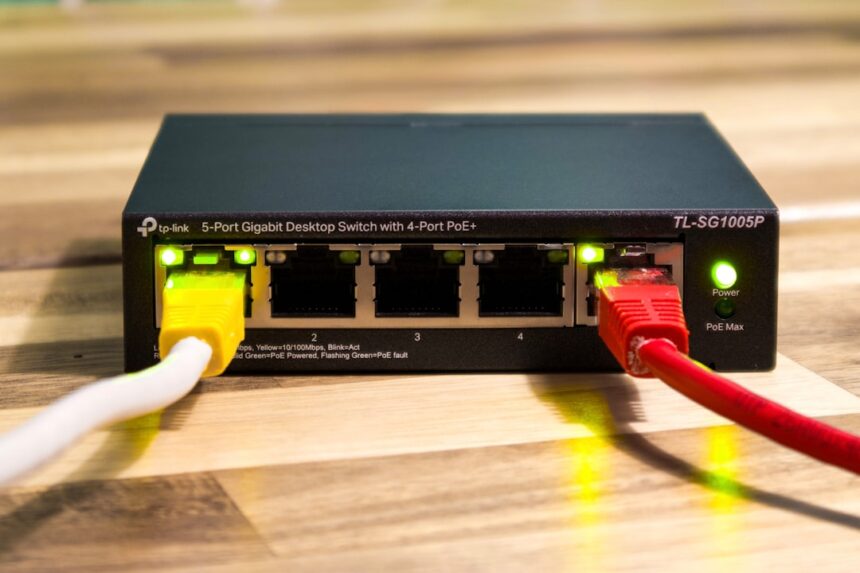
For too long, the silent sentinels of our networks – our routers – have been overlooked in the ongoing quest for robust presence verification. We meticulously deploy sophisticated multi-factor authentication systems, invest in biometric scanners, and implement elaborate geofencing solutions, all while a treasure trove of crucial information lies dormant within the very devices that manage our digital doorways. I’m here to tell you that by learning to speak the language of router logs, we can unlock a powerful, and often surprisingly accessible, layer of presence verification.
Imagine your router as a seasoned doorman at a grand hotel. It sees everyone who enters and exits, notes their arrival and departure times, and records the specific doors they use. While it might not know their innermost thoughts, it has an undeniable record of their physical presence within its domain. In the digital realm, my router’s logs serve a similar, albeit more granular, function. They don’t offer a passport-style identity, but they provide irrefutable evidence of network engagement, painting a picture of who, or rather, what devices, are actively participating in my home network.
Before we can leverage these logs, we must first understand how and why they are created. Routers, at their core, are traffic directors. They receive data packets, examine their destination, and forward them accordingly. This process, while seemingly simple, generates a wealth of metadata. Each interaction, whether it’s a device pinging for an IP address, requesting a webpage, or sending an email, leaves a faint digital footprint.
Types of Events Logged by Routers
The specific events captured by your router will vary depending on its make, model, and configuration. However, common event types include:
- DHCP Leases and Renewals: When a device connects to your network, it requests an IP address from the router’s Dynamic Host Configuration Protocol (DHCP) server. The router logs the assignment of this IP address, including the unique MAC address of the device and the duration of the lease. This is akin to the doorman noting the room number assigned to a guest upon arrival.
- Connection and Disconnection Events: The router meticulously records when devices establish a connection to the network and when they terminate that connection. This provides a timeline of network activity for each individual device.
- Traffic Flow and Data Transfer: While not all routers log packet-level details (which can be massive), many will record aggregate traffic statistics for individual IP addresses or MAC addresses. This can indicate the volume of activity, if not the content. Think of it as the doorman noting how frequently a guest goes in and out of their room, and perhaps how much luggage they bring.
- Firewall Events: If your router has an active firewall, it will log any traffic that is blocked or allowed, based on predefined rules. This can reveal attempts at unauthorized access or internal communication patterns.
- System Events: These include router reboots, firmware updates, and configuration changes. While not directly related to device presence, they provide context for the log data.
The Significance of MAC Addresses
Central to leveraging router logs for presence verification is the Media Access Control (MAC) address. This is a unique hardware identifier assigned to every network interface controller (NIC) by the manufacturer. Unlike IP addresses that can change dynamically, a MAC address is (generally) static. When a device connects to my network, my router associates a specific IP address (which can be dynamic) with that device’s unique MAC address. This persistent association is the bedrock of identifying individual devices over time.
Understanding Log Formats and Accessibility
The format and accessibility of router logs are crucial practical considerations. Most consumer-grade routers offer a web-based interface where you can view system logs. However, the level of detail and the ability to export these logs can vary. For more advanced analysis, some routers support syslog, allowing logs to be sent to a dedicated logging server for long-term storage and querying. This is akin to having a meticulous hotel manager documenting every single event, rather than just the doorman’s brief notes.
In the realm of digital forensics, utilizing router logs can be a crucial method for establishing a person’s presence at a specific location during a given time frame. An insightful article that delves deeper into this topic is available at this link. It discusses various techniques for analyzing router logs and how they can serve as compelling evidence in legal cases, highlighting their importance in corroborating alibis and tracking movements.
Unveiling Network Activity: The Art of Log Analysis
With a basic understanding of log generation, we can move on to the actual analysis. This is where we transform raw data into actionable intelligence, turning the doorman’s registry into a compelling narrative of who is home.
Parsing DHCP Activity for Connected Devices
The DHCP lease table is one of the most immediate sources of information about devices currently active on your network. By regularly querying or monitoring this table, you can see which MAC addresses have been assigned IP addresses.
- Identifying Known Devices: I can maintain a list of the MAC addresses of my trusted devices (laptops, smartphones, smart home hubs, etc.). By comparing the MAC addresses appearing in the DHCP lease table against my known list, I can quickly determine if my personal devices are connected. A device appearing in the lease table that isn’t on my known list is an immediate flag – a potential stranger at the door.
- Tracking IP Address Assignments: While IP addresses can change, observing the IP address assigned to a specific MAC address over time can offer further insights. Consistent assignments to known devices reinforce their presence. Anomalous IP address assignments for a familiar MAC address could warrant further investigation.
Interpreting Connection and Disconnection Timestamps
The timestamps associated with connection and disconnection events are invaluable for understanding when devices were active.
- Establishing Presence Intervals: By noting the “connected” timestamp and the subsequent “disconnected” timestamp (or the absence of a disconnection event, implying current connection), I can define periods of network presence for each device. This allows for the creation of profiles of typical device activity. For example, my laptop is usually connected between 8 AM and 6 PM on weekdays.
- Detecting Anomalous Activity Patterns: If a device that is typically active during work hours suddenly shows disconnection at 3 AM, it raises a question. While it might be a legitimate power cycle, it’s an anomaly that warrants attention. This is like a guest who habitually leaves at noon suddenly appearing at their door at dawn.
Leveraging Traffic Data for Activity Levels
While detailed packet inspection is often overkill for presence verification, aggregate traffic data can be surprisingly informative.
- Gross Activity Indicators: Even basic logs that show the volume of data transferred by a particular IP address or MAC address can provide supporting evidence of presence. A device that is logged as having transferred a significant amount of data is demonstrably doing something on the network.
- Distinguishing Device Types (Inferentially): While not a precise science, patterns in traffic volume can sometimes offer clues. A smart TV streaming a movie will likely generate more sustained traffic than a smart light bulb reporting its status. This is not definitive proof of identity, but it adds nuance to the presence verification narrative.
Building a Presence Verification Framework
Moving beyond ad-hoc log inspection, we can construct a more systematic framework for presence verification. This involves establishing rules, thresholds, and automated processes.
Defining “Presence” for Your Network
The first crucial step is to define what “presence” means in your specific context. Is it simply having a device connected to the network, or does it require a certain level of network activity?
- Minimum Connectivity Thresholds: For me, minimum presence often means a device is listed in the DHCP lease table and has a valid IP address. This indicates it has successfully joined the local network.
- Activity-Based Heuristics: For a higher degree of confidence, I might require additional indicators. This could include recent traffic generation or recent association with a known service. If my laptop is listed, but hasn’t generated any traffic in hours, and it’s the middle of the night, it is less likely to be actively present in the way I might assume.
Establishing Baseline Network Behavior
Understanding what is “normal” is paramount to detecting what is “abnormal.” This involves observing your network over an extended period.
- Time-Series Analysis of Device Activity: I meticulously track which devices are connected and their activity levels throughout the day and across different days of the week. This allows me to build a profile of expected behavior. My smart thermostat is expected to be online almost all the time, whereas my guest laptop might only appear when visitors are present.
- Identifying Peak and Off-Peak Usage: Understanding when your network is typically most active helps in identifying deviations. A sudden surge in connectivity during traditionally quiet hours could be a cause for concern.
Implementing Alerting Mechanisms
Once you have defined your presence criteria and established baselines, you can implement alerting mechanisms to notify you of deviations.
- Scripting Log Analysis: I’ve found it beneficial to write simple scripts (using Python, for instance) that parse router logs, check against my known device list and presence rules, and trigger alerts via email or other messaging services. This automates the doorman’s reporting.
- Threshold-Based Notifications: I can configure alerts for specific scenarios, such as:
- A known device disconnecting unexpectedly.
- An unknown device appearing on the network.
- A device exhibiting unusually high or low traffic patterns outside of its baseline.
Advanced Techniques and Considerations
As you delve deeper into leveraging router logs, you’ll encounter more sophisticated methods and important caveats.
Integrating with Other Network Devices
Router logs are a powerful component, but they are most effective when integrated into a broader network monitoring strategy.
- Correlation with Wi-Fi Client Lists: Many Wi-Fi access points provide a list of connected clients, often with signal strength information. Correlating this with router logs can provide a more comprehensive picture. Is the router saying a device is connected, and is the Wi-Fi AP also seeing it with a strong signal?
- Leveraging Network Scanners: Periodic network scans (e.g., Nmap) can complement router logs by identifying active devices and open ports, offering another layer of verification.
Addressing Log Volatility and Storage
Router logs can be verbose and, if not managed properly, can disappear quickly as new logs overwrite older ones.
- Centralized Logging (Syslog): For long-term analysis and reliable data retention, configuring your router to send logs to a dedicated syslog server is highly recommended. This ensures that you have a historical record to draw upon. It’s like having a secure archive instead of sticky notes on a bulletin board.
- Log Rotation and Archival Strategies: Even with a syslog server, implementing effective log rotation and archival policies is crucial to manage storage space and maintain query performance.
Security and Privacy Implications
It is imperative to acknowledge the security and privacy dimensions of collecting and analyzing network logs.
- Securing Log Data: The log data itself can contain sensitive information about network activity. It is essential to secure your router’s administrative interface, protect your syslog server, and ensure that access to log data is restricted to authorized individuals. A breach of your log data could inadvertently reveal your household’s comings and goings.
- Jurisdictional and Ethical Considerations: Depending on your location and the nature of your network, there may be legal or ethical considerations regarding the collection and retention of network traffic data, especially if multiple individuals are using the network. Transparency with other users about the monitoring being conducted is advisable.
Using router logs to establish presence in various contexts has gained attention in recent discussions about digital evidence. A related article explores this topic in depth, highlighting how these logs can serve as crucial proof in legal situations and cybersecurity investigations. For more insights on this subject, you can read the article here: router logs and their implications. This resource provides valuable information on the methodologies and implications of utilizing such data effectively.
The Limitations and Nuances of Log-Based Presence
| Metric | Description | Example Data | Relevance to Proving Presence |
|---|---|---|---|
| Timestamp | Exact date and time of the logged event | 2024-06-15 14:32:10 | Establishes the precise moment of presence |
| Source IP Address | IP address of the device initiating the connection | 192.168.1.45 | Identifies the user/device present on the network |
| Destination IP Address | IP address of the target device or server | 10.0.0.5 | Shows where the user was accessing or communicating |
| MAC Address | Hardware address of the device | 00:1A:2B:3C:4D:5E | Confirms the physical device’s identity |
| Connection Type | Type of network connection (e.g., Wi-Fi, Ethernet) | Wi-Fi | Helps verify the mode of access |
| Session Duration | Length of time the device was connected | 00:45:23 | Indicates how long the user was present |
| Accessed URLs or Services | Websites or services accessed during the session | example.com, mail.service.com | Corroborates user activity during presence |
| Authentication Status | Whether the user successfully authenticated | Success | Validates authorized presence on the network |
While powerful, router logs are not a silver bullet. Understanding their limitations is just as important as understanding their capabilities.
MAC Address Spoofing and IP Address Reassignment
The primary identifiers in router logs – MAC addresses and IP addresses – are not immutable.
- The Ghost in the Machine (MAC Spoofing): Advanced users can deliberately change their device’s MAC address to impersonate another device. While less common for casual eavesdropping, it’s a possibility against more sophisticated adversaries. This is like someone trying to wear a disguise to fool the doorman. Your presence verification system might need secondary checks to account for this.
- Dynamic IP Address Fluctuations: As mentioned, IP addresses can change. While a consistent MAC-to-IP mapping is common, IP address reassignment can briefly obscure a device’s continued presence if your analysis solely relies on IP address lookups without considering the MAC address.
The “Silent” Device Problem
Not all network activity is noisy. Some devices are designed to be minimalist in their communication.
- Low-Activity Devices: Devices like simple environmental sensors or some smart home peripherals might connect and rarely send data. Their presence might be logged, but their active engagement might be minimal, making them harder to definitively verify through activity metrics. They are like guests who check in and rarely leave their room, making it hard to gauge their actual engagement with the hotel’s amenities.
- Power Management and Standby Modes: Devices can enter low-power states where they appear offline or have significantly reduced network activity, even if physically present. This can lead to false negatives in presence verification unless accounted for.
The Human Element and Interpretation
Ultimately, interpreting log data requires a degree of human judgment and understanding of context.
- Contextualizing Anomalies: A device disconnecting at an unexpected time might be due to a power outage, a scheduled update, or a legitimate user action. Router logs provide data points; the human observer provides the narrative and the informed assumption. The doorman reports a guest is missing, but the manager knows the guest might be at the spa.
- Balancing Security and Convenience: Overly stringent presence verification rules can lead to friction and inconvenience. It’s a delicate dance between ensuring security and maintaining a user-friendly experience. My personal goal is to get enough certainty to feel secure, without making my home network feel like a maximum-security facility.
By diligently studying the activity within my network’s digital thoroughfares, the humble router, I’ve discovered that its logs are far more than just technical curiosities. They are a rich tapestry of information, offering a robust and often surprisingly accessible method for verifying presence. It’s a journey that requires patience, a touch of technical curiosity, and a willingness to look beyond the flashy security gadgets to the foundational systems that already serve us. The doorman, overlooked as he may be, holds the key to understanding who is truly within our digital walls.

WATCH NOW ▶️ SHOCKING: One Heart Rate Spike Exposed My Brother’s $2M Fraud
FAQs
What are router logs?
Router logs are records automatically generated by a router that document various activities and events, such as device connections, IP addresses assigned, timestamps, and data traffic passing through the network.
How can router logs be used to prove presence?
Router logs can show when a specific device was connected to a network at a particular time and location, providing evidence that a person using that device was present in that area during the logged period.
What information do router logs typically contain?
Router logs usually include details like device MAC addresses, IP addresses, connection and disconnection times, data usage, and sometimes the websites or services accessed through the network.
Are router logs reliable as evidence in legal or investigative contexts?
Router logs can be considered reliable evidence if they are properly maintained and secured, as they provide objective data about network activity. However, their admissibility depends on jurisdiction and the ability to verify their authenticity.
How long are router logs typically stored?
The retention period for router logs varies depending on the router’s configuration and the policies of the network administrator, ranging from a few days to several months. Some routers may overwrite old logs automatically to save storage space.